Comment Rocket
Comment Rocket is a Chrome extension for LinkedIn that generates AI-powered, context-aware comment drafts instantly in the LinkedIn feed. Supports multiple tones (Professional, Casual, Witty), reply length, and wit level — plus a Post Rewriter for adapting viral content. No LinkedIn password required.
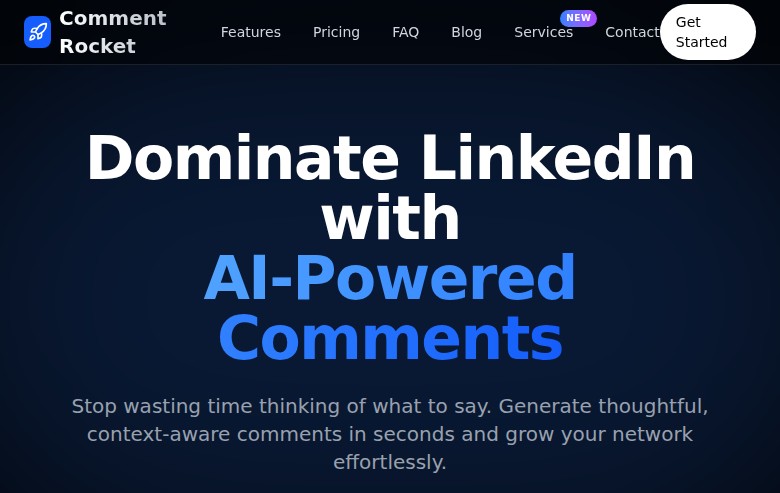
Comment Rocket: LinkedIn AI Comment Generator Chrome Extension for Engagement Growth (2026)
Comment Rocket is a Chrome browser extension for LinkedIn that generates AI-powered, context-aware comment drafts on LinkedIn posts in seconds — directly in the LinkedIn feed. Developed as a standalone extension, it analyzes the full content of each post and suggests multiple comments with adjustable tone (Professional, Casual, Witty), length, and style options, allowing users to review and post with one click without sharing their LinkedIn password.
Content creators, thought leaders, founders building personal brands, and sales professionals wanting to increase LinkedIn engagement visibility use Comment Rocket to comment consistently and meaningfully without spending hours writing responses manually. The tool also includes a Post Rewriter feature that rewrites viral posts in the user's own voice.
Teams looking for LinkedIn outreach automation (connection requests, message sequences, lead generation) should look elsewhere — Comment Rocket is a commenting and content tool only. It does not send connection requests, InMails, or run automated campaigns.
Comment Rocket: Key Specs at a Glance
| Feature | Comment Rocket |
|---|---|
| Primary use case | AI-generated LinkedIn comments and post rewriting for engagement growth |
| Best for | Founders, personal brand builders, content creators, salespeople building LinkedIn visibility |
| Deployment type | Chrome browser extension (Chrome Web Store) |
| LinkedIn compliance claim | Claims "100% Safe Automation," "No Password Required," "No Ban Risk" — comment generation only |
| Daily connection limit | Not applicable — does not send connection requests |
| Safety features | No LinkedIn password required; user reviews and manually posts each comment; no background automation |
| Sales Navigator required | No |
| InMail support | No |
| Sequence builder | No |
| CRM integrations | None |
| Email enrichment | No |
| Team features | Not publicly documented |
| API availability | Not publicly documented |
| Pricing model | Subscription (per-comment credit pool) |
| Free plan | Yes — Free trial with 20 AI comments (1 day duration) |
| Paid plans | Monthly: $19/month (5,000 comments), Yearly: $199/year (60,000 comments, ~12% savings) |
What Comment Rocket Does Well
Context-Aware AI Comment Generation In-Feed
Unlike generic AI writing tools that require copy-paste, Comment Rocket integrates directly into the LinkedIn feed. It reads the full post content and generates relevant, contextual comments without the user having to leave LinkedIn. The Rocket icon appears on every post, keeping the workflow frictionless.
Multi-Parameter Comment Customization
Users control comment output across three axes simultaneously: length (Crisp / Medium / Long), tone (Friendly / Professional / Casual), and wit level (Subtle / Playful / Bold). Eight additional comment modifiers — including Humanize, Disagree, Rhetorical Q, Anecdote, and Agree + Nuance — let users shape the exact voice and angle of each comment. This level of control is notably more granular than most AI comment tools.
Post Rewriter for Viral Content Adaptation
The Post Rewriter feature allows users to take any high-performing LinkedIn post and rewrite it in their own voice instantly. For personal brand builders who struggle with content creation frequency, this shortcut — find a viral post, rewrite it with your perspective, post — is a practical growth tactic that Comment Rocket integrates directly into the workflow.
Privacy-Preserving Architecture
Comment Rocket explicitly states that it does not store LinkedIn data or browsing history on its servers, and does not require users to share their LinkedIn password. Comments are generated client-side and reviewed before posting — the human remains in the loop on every comment sent.
Known Limitations
- LinkedIn ToS risk from consistent AI comments: While Comment Rocket claims "No Ban Risk" and does not automate posting (users click manually), LinkedIn's ToS prohibits using third-party tools that generate content to be posted on the platform at scale. If commenting patterns look automated, LinkedIn may flag the account. The risk is lower than automation tools but not zero.
- Chrome-only: Comment Rocket is a Chrome extension — users on Firefox, Safari, or LinkedIn mobile app cannot use it. No desktop app, no web dashboard.
- No lead generation or outreach: Comment Rocket does not identify prospects, send connection requests, find emails, or track engagement analytics beyond basic comment performance. It is purely a commenting assistance tool.
- Comment credit limits: The free trial offers only 20 comments for 1 day. Monthly paid plan at $19/mo gives 5,000 comments, which is generous for normal use but power users at scale may find credit counting adds friction.
- AI comment quality variance: As with all AI-generated content, output quality varies by post context. Niche technical or highly emotional posts may generate less relevant suggestions. Users always need to review before posting.
Best For: Who Should Use Comment Rocket
- Founders and solopreneurs building LinkedIn personal brands who want to comment consistently on industry content but don't have time to craft thoughtful responses to 20+ posts per day.
- Sales professionals using content-led engagement as a warm outreach strategy — commenting on prospects' posts before DMing is a proven LinkedIn warm-up tactic that Comment Rocket makes scalable.
- Content creators and thought leaders who want to increase their LinkedIn feed presence through strategic, visible commenting in their niche without spending hours in the platform.
- Marketing professionals who want to repurpose and adapt high-performing content from their niche using the Post Rewriter feature as a content inspiration tool.
Who Should Look Elsewhere
- Teams wanting LinkedIn lead generation automation: Comment Rocket doesn't send connection requests, find emails, or run outreach sequences. Look at Dripify, Expandi, or Prosp for full outreach automation.
- Firefox, Safari, or mobile LinkedIn users: The Chrome extension only works in Chrome desktop. No cross-browser or mobile support.
- Recruiters or sales teams needing CRM integration: Comment Rocket has no CRM, ATS, or analytics integration. It is a single-purpose commenting tool with no pipeline management capability.
LinkedIn Safety and Compliance
Deployment: Chrome browser extension that runs inside your LinkedIn session in the browser. Since it operates within your browser session, LinkedIn cannot distinguish it from manual typing in terms of account detection — but unusual commenting volume may still trigger LinkedIn's anti-spam detection.
Built-in safety mechanisms: Users must manually click to post each comment — there is no background auto-posting. No LinkedIn password is required or stored. The tool generates suggestions; humans approve and send.
LinkedIn ToS: Comment Rocket claims "100% Safe Automation" and "No Ban Risk" based on the human-in-the-loop design (user posts manually). However, LinkedIn's ToS technically prohibit third-party software that generates content for LinkedIn at scale. The practical risk is low compared to connection automation tools, but it is not zero. Start with conservative commenting volume and monitor your account health.
If LinkedIn restricts your account: Comment Rocket does not have a stated policy on account restrictions. Users experiencing LinkedIn restrictions should reduce commenting frequency and avoid posting AI-generated content at unusual volume for their account's normal activity pattern.
Pricing & Cost at Scale
Plan Overview
- Free Trial: Free — 20 AI comments, 1 day duration. Includes Post Rewrites, "100% Safe Automation"
- Monthly: $19/month — 5,000 AI comments, Post Rewrites, Tone Customization
- Yearly: $199/year (~$16.58/month) — 60,000 AI comments, Post Rewrites, Tone Customization, ~12% savings
Cost at Scale
Solo personal brand builder: At $19/month, 5,000 comments is far more than most individuals will use in a month. Even at 10 comments/day, that is only 300/month — making the per-comment cost negligible.
Agency or team: No team pricing is publicly documented. Agencies managing multiple LinkedIn profiles for clients would need separate subscriptions for each account — verify with support before purchasing at scale.
Prices are subject to change. Check the official pricing page for current details.
Integrations & Workflow Fit
- LinkedIn: Integrates directly into the LinkedIn Chrome web interface — no separate app to open
- CRM: None
- Automation platforms: None
- Workflow fit: Standalone personal brand / engagement tool. Works best as part of a manual daily LinkedIn engagement routine rather than as part of a CRM-connected sales workflow.
Getting Started
- Install Comment Rocket from the Chrome Web Store — no LinkedIn password required
- Open LinkedIn in Chrome — the Comment Rocket icon will appear on every post in your feed
- Click the icon on a post, select your tone preference, and review the generated comment drafts
- Edit if needed, then click Post — you remain in full control of what goes live
Pro tip: Use Comment Rocket's "Agree + Nuance" or "Rhetorical Q" modifiers for thought leadership content — these generate more engagement-friendly comments that add to the conversation rather than just validating the original post.
What Users Are Saying
Comment Rocket has limited Reddit community discussion, consistent with its relatively focused single-tool positioning. The Chrome Web Store listing is the primary source of user feedback.
What users praise: Ease of use within the LinkedIn feed, the variety of tone and style options, and the Post Rewriter as a content creation shortcut.
Common concerns: Chrome-only limitation; no team pricing documentation; AI comment quality depends heavily on post complexity.
Have you tried Comment Rocket? Share your experience in the review section below.
FAQ
Will Comment Rocket get my LinkedIn account banned?
The risk is low but not zero. Comment Rocket requires you to review and manually post each comment — there is no auto-posting. No LinkedIn password is required. However, posting AI-generated content at high volume may attract LinkedIn's anti-spam detection. Use it at normal human commenting frequency and you are unlikely to face issues.
Is Comment Rocket free?
Yes — there is a 1-day free trial with 20 AI comments included. After the trial, the Monthly plan is $19/month (5,000 comments) and the Yearly plan is $199/year (60,000 comments).
Does Comment Rocket require Sales Navigator?
No — Comment Rocket works with any standard LinkedIn account. Sales Navigator is not required or integrated.
Is Comment Rocket cloud-based or a browser extension?
Browser extension — it runs inside Chrome on the LinkedIn web interface. It is not a cloud-based platform with a separate dashboard. It works only when you are actively browsing LinkedIn in Chrome.
Does Comment Rocket require my LinkedIn password?
No — Comment Rocket explicitly states it does not require or store your LinkedIn password. It operates within your existing LinkedIn browser session without requesting login credentials.
What browsers does Comment Rocket support?
Chrome only — the extension is available on the Chrome Web Store. Firefox, Safari, Edge, and mobile browsers are not currently supported.
Sources
Reviews
No reviews yetSimilar tools in category

ContentIn
Generate high-quality written content tailored to your needs.

Crystal Knows
A platform that analyzes personality traits to enhance communication and collaboration.

Grammarly
An AI-powered writing assistant that enhances clarity, grammar, and style in your text.