LinkedProspect
LinkedProspect is a cloud-based LinkedIn automation platform for B2B lead generation, offering connection campaigns, multi-step message sequences, A/B testing, reply detection, and AI icebreaker lines. Plans range from 9/month (Basic self-serve) to 50/month (fully managed done-for-you service).
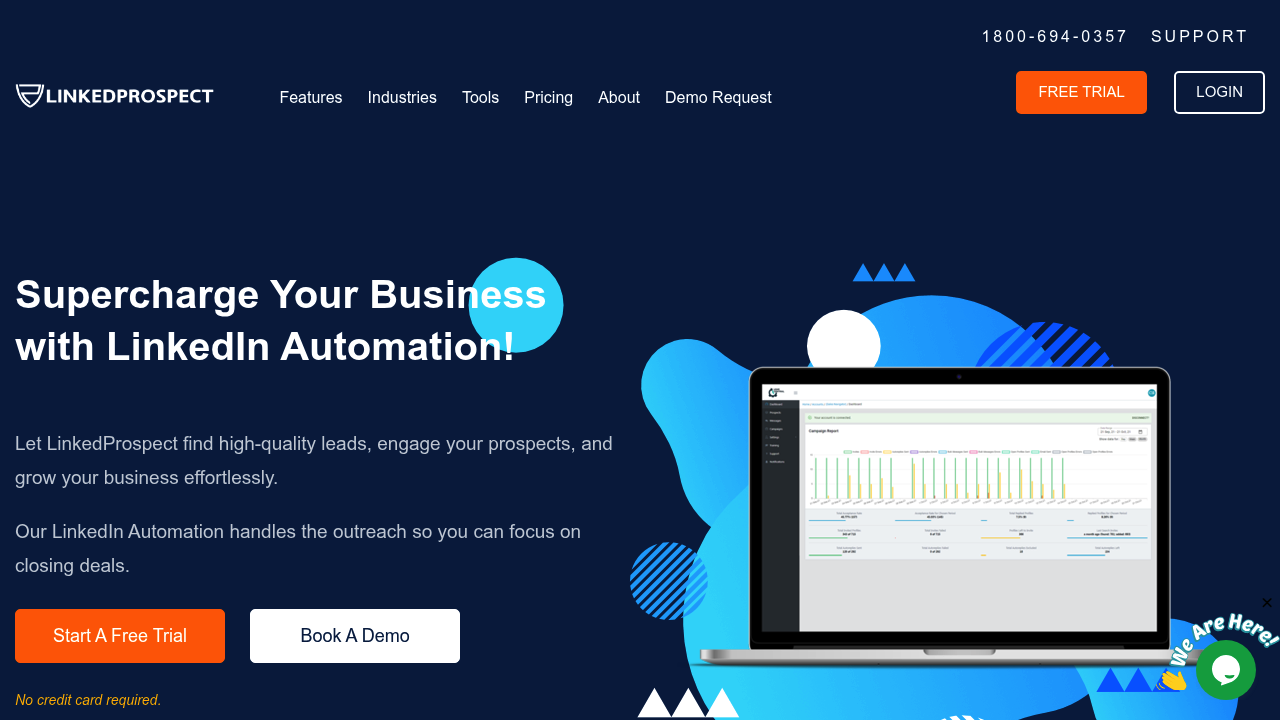
LinkedProspect: Cloud-Based LinkedIn Automation Tool for B2B Lead Generation and Outreach Sequences (2026)
LinkedProspect is a cloud-based LinkedIn automation platform designed for B2B lead generation, connection campaigns, and multi-step message sequences. Unlike browser extension tools, LinkedProspect runs entirely in the cloud, meaning your LinkedIn automation continues without your browser open—and without LinkedIn associating the activity with your local IP address. The platform includes connection requests, sequential follow-up messages, A/B testing, reply detection, automated post scheduling, and bulk messaging.
Solo SDRs and small B2B sales teams looking for a managed LinkedIn outreach workflow without managing a browser extension will find LinkedProspect's cloud architecture a meaningful safety advantage over extension-based competitors. The Standard and Plus plans add Sales Navigator support and advanced features.
Teams that need deep CRM integration, email channel outreach alongside LinkedIn, or enterprise-grade compliance controls should evaluate multi-channel platforms. LinkedProspect is LinkedIn-only and does not natively manage email sequences from the same platform.
LinkedProspect: Key Specs at a Glance
| Feature | LinkedProspect |
|---|---|
| Primary use case | LinkedIn automation for B2B connection campaigns and message sequences |
| Best for | SDRs, B2B founders, and small sales teams doing LinkedIn-first outreach |
| Deployment type | Cloud-based (no browser extension required for core functionality) |
| LinkedIn compliance claim | Human behavior simulation, activity controls — ToS compliance not guaranteed |
| Daily connection limit | Customizable activity controls (exact default limits not publicly documented) |
| Safety features | Human behavior simulation, activity control settings, cloud IP separation |
| Sales Navigator required | No — required only for Standard plan and above features using Sales Navigator search |
| InMail support | Not publicly documented |
| Sequence builder | Yes — multi-step message sequences with reply detection and A/B testing |
| CRM integrations | Not publicly documented as native integrations |
| Email enrichment | Not publicly documented |
| Team features | Yes — managed and fully managed tiers (Plus, Premium) |
| API availability | Not publicly documented |
| Pricing model | Subscription (per account per month) |
| Free plan | No free plan — paid only |
| Paid plans | Basic $49/mo, Standard $99/mo, Plus $250/mo (managed), Premium $750/mo (fully managed) |
What LinkedProspect Does Well
Cloud-Based Architecture with Human Simulation
LinkedProspect's cloud-based deployment is its primary safety differentiator in the LinkedIn automation category. Because the automation runs on cloud infrastructure rather than your local Chrome browser, LinkedIn cannot associate campaign activity with your home or office IP address. The platform additionally applies human behavior simulation—randomized delays between actions, varied timing patterns—to reduce the signature of automation in LinkedIn's detection systems. This makes LinkedProspect a safer baseline than extension-based alternatives, though no absolute safety guarantee exists.
A/B Testing and Reply Detection in Sequences
LinkedProspect includes A/B testing for connection request messages and follow-up sequences, allowing practitioners to compare message variants against reply rates within the platform. Reply detection automatically pauses a contact's sequence when they respond, preventing double-messaging and awkward automation-vs-live-conversation overlap. This is a meaningful feature for serious SDR operations—many cheaper LinkedIn automation tools lack automated reply detection.
AI Icebreaker Lines
The platform generates AI-powered icebreaker lines for connection requests based on LinkedIn profile data. For SDRs personalizing at scale, this provides a baseline level of personalization without manual research per prospect. The quality of AI-generated icebreakers varies by profile richness and industry, but the feature reduces the time-per-prospect for connection request customization.
Fully Managed Tiers for Agencies and Non-Technical Teams
LinkedProspect's Plus ($250/mo) and Premium ($750/mo) plans include managed and fully managed service layers—meaning a human team handles campaign setup, optimization, and ongoing management on behalf of the client. This is relevant for agencies reselling LinkedIn lead generation or for executives who want LinkedIn outreach running without managing the tool themselves.
Known Limitations
- LinkedIn ToS risk remains real: Cloud-based execution reduces detection risk compared to extensions, but LinkedIn actively works to detect and block all third-party automation platforms. Human simulation reduces but does not eliminate risk. Account warnings or temporary restrictions are reported across cloud-based automation tools industry-wide.
- No native CRM integrations publicly documented: LinkedProspect does not list specific CRM integrations (HubSpot, Salesforce, Pipedrive) on its public documentation. Teams expecting direct CRM push from LinkedIn campaigns will need to use Zapier or manual export, adding workflow friction.
- LinkedIn-only platform: LinkedProspect does not handle email outreach, making it a single-channel tool. Multi-channel SDR sequences (LinkedIn + email + phone) require a separate platform, increasing stack cost and complexity.
- Significant pricing jump to managed tiers: The gap from Standard ($99) to Plus ($250) is 2.5× for the addition of managed service. Self-serve users who need campaign optimization but not full management have limited middle-ground options.
- Limited public documentation on limits and safety settings: Exact daily connection limits, message caps, and configurable activity settings are not publicly documented outside the app. Prospective buyers cannot benchmark safety parameters before signing up.
Best For: Who Should Use LinkedProspect
- Solo B2B founders and SDRs running LinkedIn-first outreach who want a cloud-based tool at $49/month (Basic) with multi-step sequences and reply detection—without managing Chrome extensions.
- Small sales teams that use Sales Navigator (Standard plan and above) for advanced search and want to automate connection and follow-up campaigns from Sales Navigator prospect lists.
- Agencies offering LinkedIn lead generation as a service to clients who want a managed or fully managed tier (Plus / Premium) rather than operating the tool themselves.
- Executives and founders who want LinkedIn outreach running on their behalf without personally managing a tool—the Premium fully managed plan ($750/mo) delegates all execution.
Who Should Look Elsewhere
- Teams needing multi-channel outreach (LinkedIn + email + phone): LinkedProspect is LinkedIn-only. Platforms like Salesgear, Reply.io, or Lemlist handle multi-channel sequences from a single platform.
- CRM-driven sales teams that need bi-directional sync between LinkedIn campaigns and HubSpot or Salesforce: LinkedProspect lacks documented native CRM integration, which creates data silos in structured sales processes.
- Users with zero risk tolerance for LinkedIn account restrictions: All LinkedIn automation carries inherent risk. If account safety is non-negotiable (e.g., primary business development account with years of connections), manual LinkedIn outreach is the only fully safe option.
LinkedIn Safety and Compliance
Deployment: Cloud-based. LinkedProspect runs automation from cloud servers, separating your LinkedIn actions from your local IP and browser. LinkedIn cannot directly observe the extension in your browser or correlate activity with your home IP—a meaningful safety improvement over Chrome extension tools.
Built-in safety mechanisms: Human behavior simulation (randomized delays, varied action timing) and activity control settings to cap daily connection requests and messages. The platform does not publicly document specific default daily limits, so users should configure conservative caps during initial campaigns.
LinkedIn ToS: LinkedIn's Terms of Service prohibit third-party automation of platform actions. LinkedProspect, like all LinkedIn automation tools, operates outside LinkedIn's official permissions. The practical risk depends on campaign volume and aggressiveness—high-volume campaigns (hundreds of connection requests per day) significantly increase the probability of account restrictions.
If LinkedIn restricts your account: Pause all active campaigns immediately. LinkedIn restrictions typically begin with temporary access limits on connection requests (SSA - account action limits). Reducing daily limits and allowing a rest period before resuming activity is the standard recovery approach. LinkedProspect's cloud architecture does not prevent LinkedIn from applying account-level restrictions.
Pricing & Cost at Scale
Plan Overview
- Basic: $49/month — self-serve, core LinkedIn automation features
- Standard: $99/month — adds Sales Navigator support and advanced features
- Plus: $250/month — managed service with campaign setup and optimization support
- Premium: $750/month — fully managed, done-for-you LinkedIn outreach service
Cost at Scale
Solo SDR (self-serve): Basic at $49/month is competitive for LinkedIn-only cloud automation. At this price point, the platform is accessible for individual practitioners testing LinkedIn outreach.
Small sales team (5 people, each with Basic): $245/month total—comparable to per-seat pricing on competing platforms.
Agency offering LinkedIn as a service: Plus ($250) or Premium ($750) per client account—the fully managed tier shifts execution cost to the platform but at significant per-client monthly spend.
Prices are subject to change. Verify current plans at the LinkedProspect official site.
Integrations & Workflow Fit
- CRM: No native CRM integrations publicly documented
- Sales Navigator: Standard plan and above — uses Sales Navigator searches as campaign sources
- Automation: Not publicly documented (Zapier/Make support not confirmed)
- Workflow fit: Standalone LinkedIn outreach tool. Best for teams whose primary prospecting channel is LinkedIn and who can tolerate manual data transfer to CRM. Not designed as an embedded component in a multi-tool sales stack.
Getting Started
- Sign up at linkedprospect.com and select a plan. No free trial is listed—evaluate based on the Basic plan at $49/month.
- Connect your LinkedIn account through the LinkedProspect dashboard. The cloud-based platform handles LinkedIn session management without a Chrome extension installation.
- Configure your daily activity limits conservatively for the first week—start with 15–20 connection requests per day while LinkedIn acclimates to the new activity pattern.
- Build your first campaign: define your target audience (LinkedIn search URL or Sales Navigator search on Standard+), write your connection message, and set up follow-up sequence steps with reply detection enabled.
- Enable A/B testing if running a new message angle—let 50+ connection responses accumulate before drawing conclusions on variant performance.
Pro tip: Start with a warm-up period of 7–10 days at 10–15 connections/day before scaling to campaign volume. This mimics organic LinkedIn usage patterns and reduces early-stage account restriction risk.
What Users Are Saying
Community sentiment around LinkedProspect is limited in volume compared to larger LinkedIn automation tools. Users who mention it tend to highlight the cloud-based approach as the key differentiator, while managed tier buyers note value for agencies outsourcing LinkedIn prospecting execution.
What users praise: Cloud architecture, ease of sequence setup, managed tier convenience for agencies.
Common frustrations: Limited CRM integration options, pricing jump to managed tiers, lack of detailed public documentation on safety limits.
Have you tried LinkedProspect? Share your experience in the review section below.
FAQ
Will LinkedProspect get my LinkedIn account banned?
No guarantee, but cloud-based tools carry lower risk than extensions. LinkedProspect's cloud architecture and human simulation reduce LinkedIn's ability to detect automation, but no tool can fully guarantee account safety. High connection volumes remain the primary risk factor—stay within conservative daily limits (20–30/day initially) and monitor your account's Social Selling Index and connection acceptance rates.
Is LinkedProspect free?
No free plan. LinkedProspect is paid-only starting at $49/month (Basic). No free trial is listed publicly. Evaluation requires committing to a paid plan.
Does LinkedProspect require Sales Navigator?
Not for Basic. Sales Navigator is required to use Sales Navigator–based search targeting, available on the Standard plan and above. The Basic plan works with standard LinkedIn search.
Is LinkedProspect cloud-based or a browser extension?
Cloud-based. This is LinkedProspect's primary safety differentiator—automation runs on cloud servers, not your local browser, making it harder for LinkedIn to detect via IP or browser fingerprinting.
Does LinkedProspect integrate with HubSpot or Salesforce?
Not publicly documented. Native CRM integrations with HubSpot or Salesforce are not listed in LinkedProspect's feature documentation. Check with their support team for current integration options, or plan to export data manually or via a third-party automation tool.
What is the difference between the managed and fully managed plans?
The Plus plan ($250/mo) is "managed" — LinkedProspect's team assists with campaign setup and optimization but you still have campaign oversight. The Premium plan ($750/mo) is "fully managed" — the LinkedProspect team runs all LinkedIn outreach on your behalf as a done-for-you service.
Sources
Reviews
No reviews yetSimilar tools in category

ContentIn
Generate high-quality written content tailored to your needs.

Crystal Knows
A platform that analyzes personality traits to enhance communication and collaboration.

Grammarly
An AI-powered writing assistant that enhances clarity, grammar, and style in your text.