LinkedRadar
LinkedRadar is a freemium LinkedIn automation Chrome extension from Singapore featuring GPT-4 AI icebreakers for personalized connection requests, a built-in LinkedIn CRM with lead grouping and tags, B2B email finding, and 60+ outreach templates. Offers a free tier with feature limits; suitable for solo SDRs and early-stage sales teams.
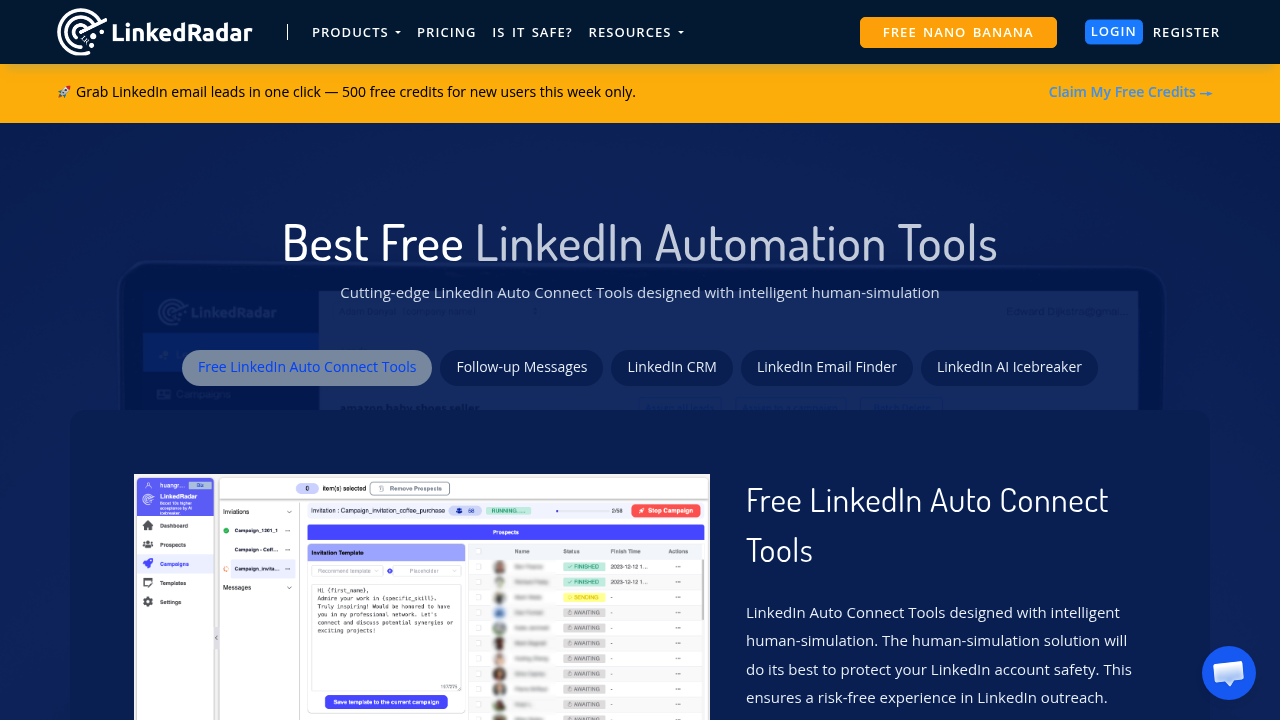
LinkedRadar: Free LinkedIn Automation Chrome Extension with AI Icebreakers and Built-In CRM (2026)
LinkedRadar is a freemium LinkedIn automation Chrome extension developed by a Singapore-based team that combines AI-powered personalized connection requests, a built-in LinkedIn CRM, and B2B email finding in a single browser extension. The platform uses GPT-4 to generate profile-based icebreaker messages for connection invitations, differentiating it from lower-end automation tools that send generic connection templates at scale.
Solo founders, SDRs, and B2B marketers who want LinkedIn automation with AI personalization at minimal cost will find LinkedRadar's freemium model accessible as an entry point into LinkedIn prospecting automation. The built-in CRM with lead grouping and tags reduces the need for a separate lead tracking tool for smaller operations.
Teams that need cloud-based execution (safer than extension-based detection), multi-channel outreach, or enterprise-grade CRM integration should evaluate cloud-based alternatives. As a browser extension, LinkedRadar carries inherent LinkedIn detection risk, and the scale of campaigns is bounded by extension-based safety limitations.
LinkedRadar: Key Specs at a Glance
| Feature | LinkedRadar |
|---|---|
| Primary use case | LinkedIn automation with AI-personalized connection requests and built-in prospect CRM |
| Best for | Solo SDRs, founders, and early-stage sales teams doing LinkedIn-first prospecting on a budget |
| Deployment type | Chrome browser extension |
| LinkedIn compliance claim | Not publicly documented as LinkedIn ToS compliant |
| Daily connection limit | Not publicly documented |
| Safety features | Not publicly documented beyond browser-based operation |
| Sales Navigator required | No |
| InMail support | Not publicly documented |
| AI icebreaker | Yes — GPT-4 powered, profile-based personalized connection messages |
| Sequence builder | Yes — campaign sequences via extension |
| Built-in CRM | Yes — lead grouping, tags, pipeline management |
| Email enrichment | Yes — B2B email finder built-in |
| Message templates | Yes — 60+ email templates, 20+ chat templates for campaigns |
| CRM integrations | Not publicly documented |
| Team features | Not publicly documented |
| API availability | Not publicly documented |
| Pricing model | Freemium |
| Free plan | Yes — free tier with feature limits |
| Paid plans | Not publicly documented (contact for paid plan details) |
What LinkedRadar Does Well
GPT-4 Powered AI Icebreakers for Profile-Based Personalization
LinkedRadar's standout feature is its GPT-4 integration for generating personalized icebreaker lines based on LinkedIn profile data—not generic templates. When sending a connection invitation, LinkedRadar analyzes the prospect's LinkedIn profile (recent posts, work history, skills, headline) and generates a contextually relevant opening line. This is meaningfully different from tools that simply insert a first name into a generic template. For SDRs in competitive markets where generic connection requests are routinely ignored, profile-aware personalization measurably improves acceptance rates.
Built-In LinkedIn CRM with Lead Grouping and Tags
LinkedRadar includes a native CRM layer within the extension, allowing users to organize LinkedIn prospects into groups with custom tags, track interaction status, and manage a basic pipeline—all without exporting to an external CRM. For solo prospectors or small teams without a formal CRM subscription, this removes a meaningful workflow gap. The CRM is LinkedIn-native, meaning prospect data is managed in context without copy-pasting between tools.
B2B Email Finder Built In
Beyond LinkedIn connection automation, LinkedRadar includes a B2B email finder that surfaces verified email addresses from LinkedIn profiles. Combining this with the CRM and automation in a single extension reduces the tool sprawl typical of LinkedIn prospecting workflows (separate LinkedIn automation tool + separate email finder + separate CRM). For budget-constrained early-stage teams, this consolidation is practically valuable.
Extensive Template Library
LinkedRadar ships with 60+ email templates and 20+ chat templates for LinkedIn campaigns. This template depth reduces the content creation burden for SDRs who are building outreach campaigns from scratch, particularly for teams without dedicated copywriting support. Templates can serve as starting points for customization rather than being used verbatim.
Known Limitations
- Browser extension LinkedIn detection risk: As a Chrome extension, LinkedRadar operates within your logged-in LinkedIn browser session. LinkedIn's detection systems can identify extension-based automation patterns—including unusual click timing, search patterns, and connection request volumes—and apply account action limits or restrictions. This is the fundamental safety trade-off of all extension-based LinkedIn automation tools.
- Paid plan pricing not publicly documented: LinkedRadar uses a freemium model but does not list paid plan prices publicly. Teams cannot assess cost at scale without a sales conversation, making transparent budget planning difficult.
- Daily connection limits not disclosed: Safe LinkedIn connection limits are a key evaluator for automation tools. LinkedRadar does not publicly document its daily connection caps or built-in safety delay settings, making it impossible to benchmark safety posture before adoption.
- No external CRM integration publicly documented: The built-in CRM is useful for small operations, but teams needing bi-directional sync with HubSpot, Salesforce, or Pipedrive will find LinkedRadar lacking. No native CRM integrations are documented publicly.
- Limited third-party review volume: LinkedRadar has limited independent review coverage on platforms like G2 or Capterra compared to established competitors, making peer evaluation harder than for tools with larger user communities.
Best For: Who Should Use LinkedRadar
- Solo founders and early-stage SDRs who want LinkedIn automation with AI personalization at zero or minimal cost—the freemium tier makes LinkedRadar accessible for testing LinkedIn outreach before committing to paid tools.
- Individual contributors without a CRM subscription who need basic lead tracking and pipeline management alongside LinkedIn automation—the built-in CRM covers lightweight use cases.
- Teams exploring AI-personalized connection requests who want to test GPT-4 icebreaker performance against generic template approaches before investing in more expensive AI personalization tools.
- B2B prospectors in markets with active LinkedIn communities where connection acceptance rates directly drive pipeline, and AI-personalized invitations provide a measurable competitive edge over bulk generic outreach.
Who Should Look Elsewhere
- Teams prioritizing LinkedIn account safety: Cloud-based tools (Expandi, Dripify, LinkedProspect) provide stronger account protection than Chrome extensions because automation runs from separate IPs not associated with your LinkedIn account. If your LinkedIn presence is business-critical, the extension-based risk of LinkedRadar is a meaningful concern.
- Sales operations that need CRM integration: Teams running structured sales processes in HubSpot or Salesforce cannot use LinkedRadar's built-in CRM as a substitute—external CRM sync is not documented as available.
- Multi-channel outreach teams: LinkedRadar is LinkedIn-only. Teams running coordinated email + LinkedIn sequences need multi-channel platforms like Salesgear or a dedicated email sequencing tool alongside any LinkedIn tool.
LinkedIn Safety and Compliance
Deployment: Chrome browser extension. LinkedRadar runs inside your Chrome browser while you are logged into LinkedIn, meaning all automation activity is associated with your LinkedIn account's IP, browser fingerprint, and session. This is the highest-risk deployment model for LinkedIn automation.
Built-in safety mechanisms: LinkedRadar does not publicly document its built-in daily connection limits, random delay settings, or human simulation parameters. Users should configure conservative manual limits within the extension settings and avoid running high-volume campaigns during initial use.
LinkedIn ToS: LinkedIn's Terms of Service explicitly prohibit third-party automation of platform actions. LinkedRadar, like all Chrome extension–based LinkedIn automation tools, operates outside LinkedIn's authorized parameters. Detection risk is higher for extensions than cloud-based tools because LinkedIn can observe browser-level patterns associated with your account session.
If LinkedIn restricts your account: Stop all LinkedRadar activity immediately. Uninstall the extension temporarily and allow 1–2 weeks of organic-only LinkedIn usage before attempting to resume. Do not escalate activity or create a new LinkedIn account, as this typically worsens restrictions. LinkedIn restrictions from automation detection typically begin with connection request limits before escalating to message limits or account suspension.
Pricing & Cost at Scale
Plan Overview
- Free tier: Available with feature limitations — suitable for evaluation and light individual use
- Paid plans: Not publicly documented — contact LinkedRadar for pricing
Cost at Scale
Solo user (free tier): LinkedRadar's freemium model makes it accessible at zero cost for individual evaluation. The limitations of the free tier are not publicly documented, so users will need to test where free tier constraints become binding for their use volume.
Growing team: Because paid plan pricing is not public, per-seat cost scaling cannot be estimated without a sales conversation. Request team pricing and compare against tools with transparent per-seat pricing before committing.
Verify current pricing at the LinkedRadar official site. Pricing is subject to change.
Integrations & Workflow Fit
- CRM: Built-in CRM (lead groups, tags, pipeline) — external CRM integrations not publicly documented
- Email: Built-in B2B email finder; no documented integration with external email sequencing platforms
- LinkedIn surfaces: Standard LinkedIn — Sales Navigator compatibility not confirmed
- Automation: Zapier/Make/API not publicly documented
- Workflow fit: Best as a self-contained lightweight LinkedIn prospecting tool for solo users or very small teams. Not suited for integration into complex multi-tool sales stacks due to limited external connectivity.
Getting Started
- Install the LinkedRadar Chrome extension from the Chrome Web Store and create an account at linkedradar.com.
- Connect your LinkedIn account through the extension — log into LinkedIn in the same Chrome browser where LinkedRadar is installed.
- Configure your campaign: select your target audience using a LinkedIn search URL, set your connection request message, and enable AI icebreaker generation from the extension panel.
- Set conservative daily activity limits before launching. Start with 10–15 connection requests per day for the first 1–2 weeks while monitoring your LinkedIn account for any restriction notices.
- Use the built-in CRM to tag accepted connections by category (prospect, qualified, follow-up needed) and track your pipeline directly from the extension.
Pro tip: Enable GPT-4 icebreakers on your first campaign and compare acceptance rates against a control group using a standard template message. The AI personalization adds value, but the delta varies significantly by industry and target seniority level.
What Users Are Saying
LinkedRadar's community discussion volume is smaller than established LinkedIn automation tools, reflective of its newer market presence from Singapore. Users who discuss it tend to highlight the freemium accessibility and the GPT-4 icebreaker quality as unexpected value at the price point.
What users praise: AI icebreaker personalization quality, freemium accessibility, built-in CRM for light pipeline tracking.
Common frustrations: Limited public documentation on safety limits, opacity around paid plan pricing, extension-based ban risk compared to cloud alternatives.
Have you tried LinkedRadar? Share your experience in the review section below.
FAQ
Will LinkedRadar get my LinkedIn account banned?
Risk exists — higher than cloud-based alternatives. LinkedRadar is a Chrome extension that runs inside your LinkedIn browser session, giving LinkedIn full visibility into automation patterns associated with your account. Extension-based tools carry higher detection risk than cloud-based tools. Use conservative daily limits (10–15 connections/day when starting) and avoid bulk campaigns on fresh LinkedIn accounts.
Is LinkedRadar free?
Yes, partially. LinkedRadar offers a free tier with feature limitations. The exact free tier limits are not publicly documented, so users should test where the free plan becomes restrictive for their use case before expecting full functionality at no cost.
Does LinkedRadar require Sales Navigator?
No. LinkedRadar works with standard LinkedIn. Sales Navigator compatibility is not confirmed in public documentation.
Is LinkedRadar cloud-based or a browser extension?
Browser extension. LinkedRadar runs as a Chrome extension. This is important for safety evaluation — extension-based tools carry higher LinkedIn detection risk than cloud-based tools because LinkedIn can observe browser-level automation patterns directly linked to your account.
Does LinkedRadar's AI icebreaker actually use GPT-4?
Yes, per public documentation. LinkedRadar uses GPT-4 to generate personalized icebreaker lines based on LinkedIn profile data (posts, headline, experience). The quality of output depends on how much public data is available on the prospect's profile — sparse profiles generate less personalized results.
What CRMs does LinkedRadar integrate with?
External CRM integrations are not publicly documented. LinkedRadar has a built-in CRM with lead grouping and tags, which serves as a lightweight alternative to HubSpot/Salesforce for solo users. Teams requiring external CRM sync should verify current integration options directly with LinkedRadar before committing.
Sources
Reviews
No reviews yetSimilar tools in category

ContentIn
Generate high-quality written content tailored to your needs.

Crystal Knows
A platform that analyzes personality traits to enhance communication and collaboration.

Grammarly
An AI-powered writing assistant that enhances clarity, grammar, and style in your text.