ListKit
ListKit is an AI-powered B2B lead list builder with a 731M+ contact database, plain-English AI Company Search, and a triple-verification engine that claims ~98% email deliverability. Used by cold email agencies and SDRs to build targeted prospect lists for LinkedIn-sourced ICPs.
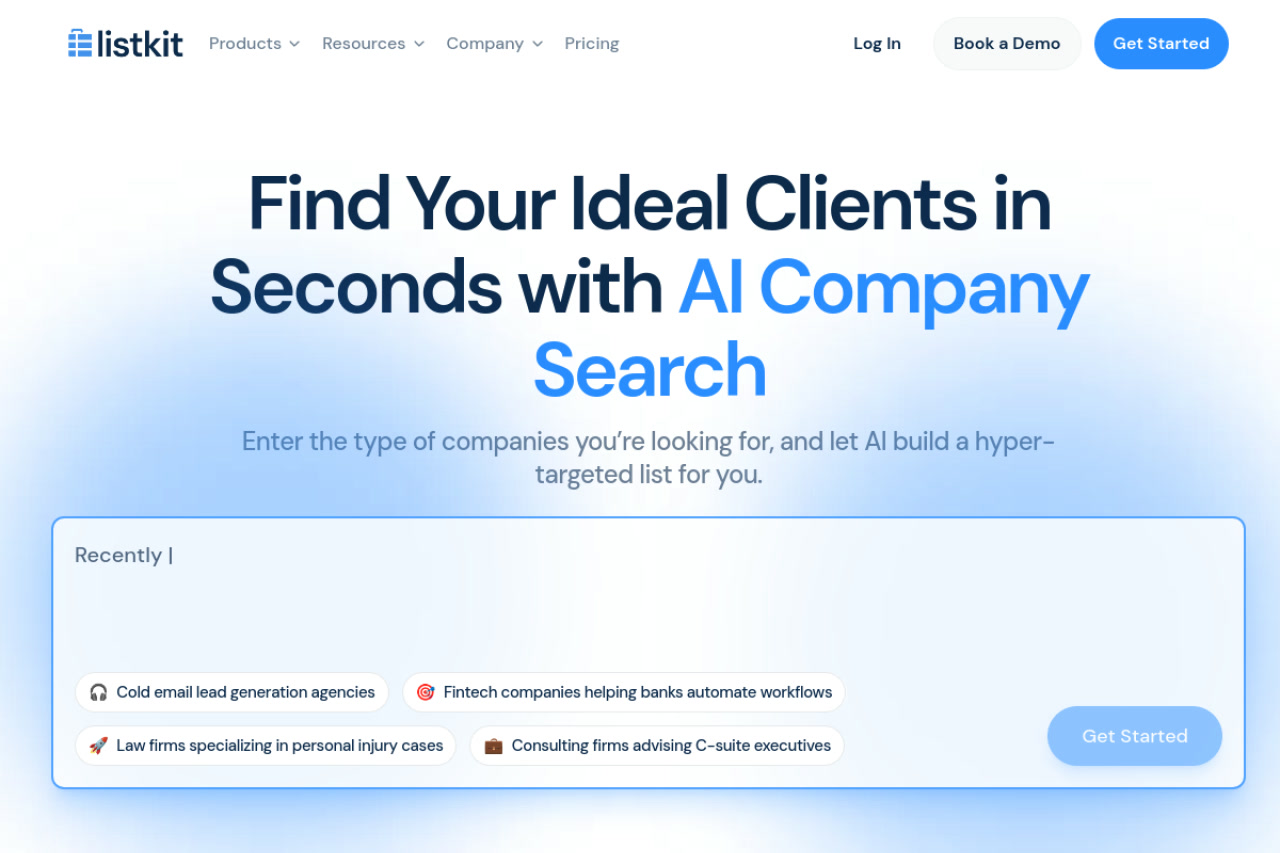
ListKit: AI-Powered B2B Lead List Builder with Triple-Verified Contacts for LinkedIn Prospecting (2026)
ListKit is a cloud-based B2B lead generation and contact database platform developed by ListKit that uses an AI Company Search to build hyper-targeted prospect lists from a database of 731M+ profiles using plain-English natural language prompts, then triple-verifies each email contact for deliverability before export. Unlike LinkedIn automation tools, ListKit is a data sourcing and verification platform — it helps users build lists of LinkedIn-identified prospects with verified emails, rather than automating LinkedIn outreach directly.
ListKit is best suited for cold email operators, SDRs, and agencies who want to build highly targeted B2B contact lists quickly using AI-driven search (equivalent to describing your ICP in plain English rather than configuring complex filter trees), with built-in triple verification replacing the need for separate email validation tools.
Teams expecting LinkedIn automation (connection requests, LinkedIn messaging), or users who need more than contact list building and verification (e.g., built-in email sequencing, CRM, or LinkedIn outreach), should look at more comprehensive platforms. ListKit is a focused data tool, not an all-in-one outreach platform.
ListKit: Key Specs at a Glance
| Feature | ListKit |
|---|---|
| Primary use case | AI-powered B2B contact list building with triple email verification |
| Best for | Cold email operators, SDRs, agency owners building targeted prospect lists for LinkedIn-sourced ICPs |
| Deployment type | Cloud-based web app — no LinkedIn browser extension required |
| LinkedIn compliance claim | Not applicable — ListKit sources data from its own database; no automated LinkedIn actions |
| Daily connection limit | Not applicable — no LinkedIn automation |
| Safety features | No interaction with LinkedIn; zero LinkedIn account risk |
| Sales Navigator required | No — ListKit's AI search is independent of LinkedIn; Sales Navigator can inform your ICP definition but is not required |
| InMail support | No — contact list platform only |
| Sequence builder | No — integrates with Smartlead, Instantly, and other cold email platforms for sending |
| CRM integrations | Smartlead.ai integration confirmed; additional CRM/outreach tool integrations via CSV export |
| Email enrichment | Yes — triple-verification engine; ~98% deliverability claimed |
| Team features | Yes — unlimited users on paid plans (shared org-wide credit pool) |
| API availability | Not publicly documented |
| Pricing model | Credit-based, annual subscription (credits expire monthly) |
| Free plan | Yes — 100 credits/month on Free plan with access to core features |
| Paid plans | Professional: $83/mo (annual, 24,000 credits/yr); Scale: $253/mo (annual, 120,000 credits/yr); Ultimate: $508/mo (annual, 600,000 credits/yr); Enterprise: custom |
What ListKit Does Well
AI Company Search — Plain English ICP Targeting
ListKit's AI Company Search lets users describe target companies in natural language — "funded fintech companies with 100+ employees" or "CPG eCommerce brands on Shopify" — and the AI translates this into a structured search returning a hyper-targeted company list. This is a meaningful UX advantage over traditional filter-based databases where users must know exactly which fields to configure. SDRs who struggle with complex search query syntax find this significantly faster for initial list building, especially when exploring new market segments.
Triple-Verification Engine
ListKit's differentiated data pipeline verifies every contact email through three independent validation steps before export, claiming ~98% deliverability on exported lists. This eliminates the need for separate email verification services (NeverBounce, ZeroBounce, Millionverifier) that typically add $50–200/month depending on volume. For cold email practitioners, this verification is built into the credit cost, meaning there's no additional verification invoice stacking on top of the data subscription.
Unlimited Users on Paid Plans
ListKit includes unlimited user seats on all paid plans — the team shares one org-wide credit pool. This is particularly valuable for small agencies where 3–5 team members need access to the same data platform without per-seat billing. The real cost consideration shifts from headcount to credit consumption volume, which scales with outreach activity rather than team size.
21 Billion Daily Buying Signals
ListKit sources behavioral and firmographic signals daily — the platform claims 21B daily buying signals for company targeting — allowing users to filter for companies showing active buying behavior patterns. Combined with AI Company Search, this enables targeting companies that match your ICP AND are in an active buying cycle, rather than just matching demographic criteria.
Known Limitations
- No LinkedIn automation — list building only: ListKit does not interact with LinkedIn in any way. It's a data sourcing tool. Teams expecting LinkedIn outreach automation must use a separate tool (CoPilot AI, Expandi, Dripify) to actually send connection requests or messages to the prospects ListKit helps identify.
- Credit burn complexity and gotchas: ListKit uses a credit system where each data field costs additional credits. A standard email export costs 1 credit, but adding mobile phone (+5 credits) or extra enrichment fields (+1 each) can reduce your effective export count dramatically. A plan showing 2,000 monthly credits may yield only 285–1,000 usable contacts depending on your export template. Annual plans with monthly credit allocation mean unused credits in a given month are lost.
- Annual billing only for paid plans with meaningful credit volumes: Professional ($83/mo effective), Scale ($253/mo effective), and Ultimate ($508/mo effective) are all annual commitments billed upfront. There is no monthly billing option at paid tiers as of 2026, which is a significant cash flow consideration for agencies evaluating the platform.
- No built-in email sequencer: ListKit is data only. You must pair it with Smartlead, Instantly, Apollo Sequences, or another cold email platform to actually send outreach. This adds subscription cost and integration setup compared to all-in-one tools like Apollo.
- Database breadth vs. depth tradeoff: 731M profiles is a large number, but community feedback in r/coldemail notes that in some niche verticals or geographic markets, ListKit's contact coverage is thinner than alternatives. Verify coverage for your specific ICP before committing to an annual plan.
Best For: Who Should Use ListKit
- Cold email agencies that build prospect lists for multiple clients and benefit from unlimited user access without per-seat billing.
- SDRs and outbound operators who want AI-assisted ICP list building and need verified emails without running contacts through a separate validation service.
- Sales teams using Smartlead, Instantly, or other cold email platforms who need a reliable data sourcing layer with high deliverability guarantees.
- Founders and growth hackers experimenting with different ICP segments who need fast list generation from plain-English descriptions rather than complex filter configuration.
Who Should Look Elsewhere
- Teams wanting LinkedIn outreach automation: ListKit is data-only. For LinkedIn connection automation, consider CoPilot AI, Expandi, or Dripify.
- Teams needing an all-in-one platform: Apollo combines contact database + email sequencing + LinkedIn Chrome extension in one subscription. If you want to minimize tool count, Apollo or Lemlist may be more efficient.
- Low-volume or irregular outreach teams: Annual credit plans with monthly allocation don't suit teams with inconsistent outbound activity. If you won't consistently consume 2,000 credits/month, unused credits are wasted cost.
LinkedIn Safety and Compliance
Deployment: ListKit is a cloud-based web platform with no LinkedIn browser extension and no automated LinkedIn actions. It does not interact with LinkedIn at all.
How it works with LinkedIn: ListKit sources data from its own proprietary database of 731M profiles, which draws from public data sources and third-party data partnerships — not from real-time LinkedIn scraping. Sales professionals use LinkedIn to define their ICP and target persona, then use ListKit to find verified contact data for that persona from its database. LinkedIn is not required or accessed by ListKit directly.
Data compliance: ListKit claims GDPR awareness on its platform. Teams operating in EU markets should verify ListKit's data processing agreements and GDPR documentation before using for European contact lists. Contact data sourcing practices from third-party aggregators carry compliance considerations independent of LinkedIn ToS.
Pricing & Cost at Scale
Plan Overview (Annual billing, effective monthly rate)
- Free: $0/month — 100 credits/month, access to core features including AI search, triple-verification, intent data, CRM integrations
- Professional: $83/month effective (annual commitment) — 24,000 credits/year (~2,000/month), unlimited users
- Scale: $253/month effective (annual) — 120,000 credits/year (~10,000/month), unlimited users
- Ultimate: $508/month effective (annual) — 600,000 credits/year (~50,000/month), unlimited users
- Enterprise: Custom pricing, often $1,500–$6,000+/month for high-volume teams
Cost at Scale and Real Export Math
Solo SDR on Professional ($83/month effective): 2,000 email credits/month. At 1 credit per verified email, that's 2,000 verified contacts/month for email-only outreach — sufficient for aggressive individual prospecting. Add mobile phone fields at +5 credits each and effective exports drop to ~333/month.
5-person agency team on Scale ($253/month effective): 10,000 credits/month shared across all users. At email-only exports, that covers 10,000 contacts/month for the full team without per-seat costs — approximately $0.025 per verified contact at this tier.
High-volume agency on Ultimate ($508/month effective): 50,000 email credits/month — enough for serious agency-level list building at roughly $0.01 per verified contact.
Prices are subject to change. Check the official pricing page for current details. Credit burn varies significantly by export field configuration.
Integrations & Workflow Fit
- Email outreach: Smartlead.ai (confirmed native integration); Instantly.ai (CSV import compatible); compatible with any cold email platform that accepts CSV uploads
- CRM: CSV export compatible with all CRMs; specific native CRM integrations not fully documented — verify current integrations on the ListKit platform
- Workflow fit: ListKit is the "find and verify" step in a cold email stack: ListKit (ICP targeting + verified emails) → Smartlead or Instantly (email sequencing) → CRM (deal tracking). It does not replace LinkedIn for relationship-building or LinkedIn automation tools for LinkedIn outreach.
Getting Started
- Sign up for a free account at listkit.io — 100 free credits per month, no credit card required for free tier.
- Use the AI Company Search to describe your target ICP in plain English — start broad, then re-prompt with more specific criteria until the company list matches your segment.
- Approve the company list and let ListKit's triple-verification engine build your contact list with verified emails.
- Export to CSV and import into your email sequencer (Smartlead, Instantly, or similar), or push to your CRM for follow-up tracking.
- Review deliverability metrics on your first campaign — if bounce rate is above 3%, revisit export field configuration or filter settings.
Pro tip: Start with email-only exports (1 credit each) to validate list quality before adding mobile phone fields (which consume 5× the credits). Once you confirm the ICP segment produces replies, upgrade exports with phone data for prospects who don't respond to email.
What Users Are Saying
ListKit has a growing community presence in r/coldemail, where it's discussed alongside Apollo, Clay, and other data providers. Users praise its triple-verification claim and ease of use, but flag credit system gotchas and niche data coverage gaps.
- r/coldemail: Best lead data provider — Apollo, Listkit, etc.
- r/coldemail: Listkit vs Apollo vs LinkedIn Sales Navigator comparison
What users praise: AI Company Search speed, triple-verification replacing external validation tools, unlimited users without per-seat pricing, Smartlead integration, community and onboarding support quality.
Common frustrations: Credit burn is faster than advertised when adding enrichment fields, annual commitment required for meaningful credit volumes, smaller database coverage in niche verticals, leads can be overused across multiple buyers purchasing from the same database.
Have you tried ListKit? Share your experience in the review section below.
FAQ
Will ListKit get my LinkedIn account banned?
No — ListKit does not interact with LinkedIn at all. It's a standalone data platform with its own database. Using ListKit carries zero LinkedIn account risk.
Is ListKit free?
Yes — there is a permanent Free plan with 100 credits per month, which includes access to AI Company Search, triple-verification, intent data, and CRM integrations. Paid plans start at $83/month effective rate on an annual commitment (Professional: 24,000 credits/year).
Does ListKit require Sales Navigator?
No — ListKit's AI search is completely independent of LinkedIn and Sales Navigator. You describe your target companies in plain English and ListKit queries its own 731M-profile database.
Is ListKit cloud-based or a browser extension?
Fully cloud-based web app. There is no browser extension. All data sourcing, verification, and export happens within the ListKit web platform.
What cold email tools does ListKit integrate with?
Smartlead.ai has a confirmed native integration. ListKit is compatible with Instantly.ai, Apollo Sequences, and any cold email platform that accepts CSV imports. Native integrations beyond Smartlead should be verified on the ListKit platform before purchasing.
How does ListKit's credit system work?
Each export field costs credits: a verified email address costs 1 credit; adding a mobile phone number costs an additional 5 credits per contact. On a Professional plan with 2,000 monthly credits, an email-only export yields 2,000 contacts; adding mobile phone data reduces this to approximately 333 contacts. Annual plans allocate credits monthly — unused credits expire at month end.
Sources
Reviews
No reviews yetSimilar tools in category

ContentIn
Generate high-quality written content tailored to your needs.

Crystal Knows
A platform that analyzes personality traits to enhance communication and collaboration.

Grammarly
An AI-powered writing assistant that enhances clarity, grammar, and style in your text.