Salesgear
Salesgear is a multi-channel outbound sales platform combining LinkedIn automation, email sequencing, phone dialing, and SMS into a unified sequence builder. It includes a built-in email finder, phone number enrichment, deep research, and email warm-up across all plans. Over 10,000 users; paid plans from 9/month.
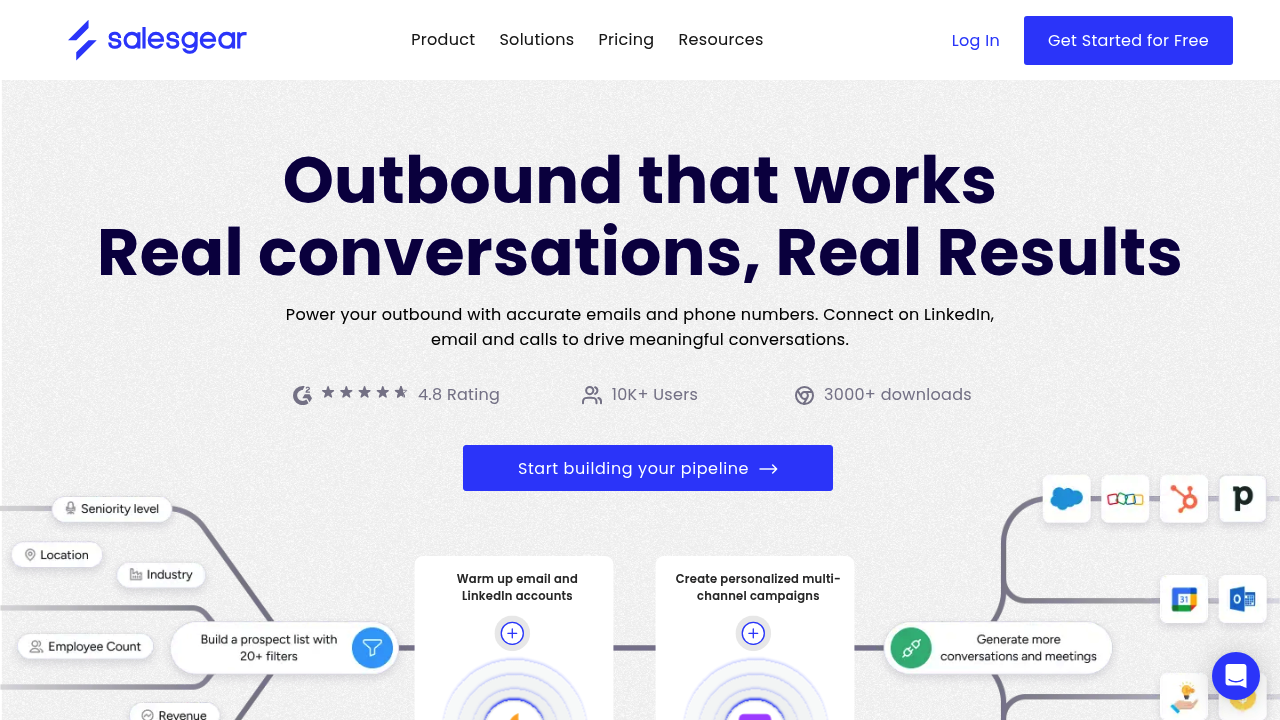
Salesgear: Multi-Channel Outbound Sales Platform with LinkedIn Automation for SDR Teams (2026)
Salesgear is a multi-channel outbound sales platform developed by Salesgear Inc. that combines LinkedIn automation, email outreach, phone dialing, and SMS sequences into a single prospecting workflow. The platform targets SDRs and sales teams that need to coordinate touchpoints across multiple channels without switching between tools, and includes a built-in email finder, phone number enrichment, and email warm-up system.
Sales teams running 10,000+ monthly outreach touches across email and LinkedIn will benefit from Salesgear's unified sequence builder and integrated deep research. The email warm-up feature—included in all plans—addresses a common pain point for teams building new outbound email infrastructure.
Solo SDRs or teams that need LinkedIn-only automation at minimal cost have cheaper LinkedIn-specific options. Salesgear's value proposition strengthens with multi-channel use—running it for email alone or LinkedIn alone doesn't justify the platform relative to channel-specific tools.
Salesgear: Key Specs at a Glance
| Feature | Salesgear |
|---|---|
| Primary use case | Multi-channel outbound sequences: LinkedIn + email + phone + SMS |
| Best for | SDR teams running coordinated multi-channel B2B prospecting campaigns |
| Deployment type | Cloud-based web platform |
| LinkedIn compliance claim | Not publicly documented as LinkedIn ToS compliant |
| Daily connection limit | Not publicly documented (configurable activity settings) |
| Safety features | Not publicly documented beyond cloud-based operation |
| Sales Navigator required | No — enhances prospecting if available |
| InMail support | Not publicly documented |
| Sequence builder | Yes — multi-channel sequences across LinkedIn, email, phone, SMS |
| CRM integrations | HubSpot, Pipedrive (direct); additional via integrations |
| Email enrichment | Yes — built-in email finder |
| Phone enrichment | Yes — built-in phone number finder |
| Team features | Yes — multi-seat across all paid plans |
| API availability | Not publicly documented |
| Email warm-up | Yes — included in all plans |
| Pricing model | Credit-based subscription |
| Free plan | Yes — 50 credits (limited evaluation) |
| Paid plans | Basic $49/mo (1,200 credits), Pro $99/mo (4,000 credits), Pro Plus $199/mo (10,000 credits) |
What Salesgear Does Well
True Multi-Channel Sequence Builder
Salesgear's sequence builder allows SDRs to define outreach flows that combine LinkedIn connection requests, LinkedIn messages, email touches, phone call tasks, and SMS messages in a single sequence timeline. This eliminates the need to coordinate separate tools for each channel—a meaningful workflow simplification for teams running structured multi-touch outreach. The platform tracks engagement across all channels, giving visibility into which channel prompted a response.
Built-In Email Finder and Phone Enrichment
Unlike platforms that require a separate email finder integration, Salesgear includes both email finding and phone number enrichment natively within the platform. Credits are used for enrichment operations. This reduces the number of tools in the stack and the per-contact data cost compared to running a separate enrichment tool alongside a sequencing platform.
Email Warm-Up Included
Salesgear includes email warm-up functionality across all paid plans—a feature that competitors like Lemlist and Instantly often charge separately for, or bundle into higher tiers. For teams building new outbound email infrastructure or recovering from sender reputation issues, built-in warm-up reduces initial setup cost. The warm-up runs automatically in the background, gradually increasing email send volume and improving deliverability signals.
Deep Research Feature
Salesgear includes a "deep research" capability that surfaces contextual information about prospects before outreach—drawing from publicly available data to inform personalization. This positions Salesgear toward research-led outreach rather than pure volume automation. The exact data sources and research depth are not fully documented publicly, but the feature is positioned to help SDRs write more relevant first messages.
Known Limitations
- LinkedIn ToS risk: Salesgear automates LinkedIn actions (connection requests, messages) as part of multi-channel sequences. LinkedIn's Terms of Service prohibit third-party automation. While Salesgear is cloud-based, LinkedIn detection systems flag automation patterns regardless of execution source. Account restrictions are a real risk, particularly at high daily volumes.
- LinkedIn safety settings not publicly documented: Salesgear does not publicly document its daily LinkedIn connection limits, random delay settings, or human simulation parameters. Prospective buyers cannot benchmark LinkedIn safety posture without access to the platform.
- Credit model can limit high-volume teams: At Pro Plus ($199/mo), the 10,000 credits must cover all enrichment operations—email finds, phone finds, and other lookups. High-volume teams may exhaust credits before month-end, requiring additional purchase or plan upgrades.
- Limited CRM ecosystem publicly confirmed: HubSpot and Pipedrive are confirmed integrations. Teams using Salesforce, Zoho, or other CRMs should verify current integration status before committing, as the public integration documentation is limited.
- 10K+ user count is a marketing claim: Salesgear reports 10,000+ users, but independent review volume on platforms like G2 or Capterra is relatively low compared to established competitors like Outreach, Apollo, or Lemlist, making third-party validation limited.
Best For: Who Should Use Salesgear
- SDR teams running coordinated LinkedIn + email outreach who want both channels managed from a single platform without separate tools for email sequencing and LinkedIn automation.
- Sales teams setting up new outbound email infrastructure who benefit from built-in email warm-up without paying for a separate warm-up tool.
- B2B teams targeting 1,200–10,000 monthly prospect enrichments within the Basic–Pro Plus credit tiers without needing enterprise-level volume.
- HubSpot and Pipedrive users who want native CRM integration with multi-channel outreach without purchasing a separate sequencing platform.
Who Should Look Elsewhere
- Teams that only need LinkedIn automation (no email): LinkedIn-specific tools like Expandi or Dripify are more focused and typically offer more granular LinkedIn safety controls at comparable price points.
- Enterprise sales teams needing Salesforce integration: Salesgear's Salesforce support is not publicly confirmed. Teams with Salesforce as the CRM anchor should verify integration maturity before adopting Salesgear at scale.
- Teams with strict LinkedIn account safety requirements: If preserving LinkedIn account access is business-critical (e.g., a founder's personal account with years of connections), the lack of publicly documented LinkedIn safety parameters makes Salesgear a harder choice to evaluate responsibly.
LinkedIn Safety and Compliance
Deployment: Cloud-based. Salesgear's LinkedIn automation runs from cloud infrastructure, which provides IP separation from your local machine. LinkedIn cannot directly see Salesgear running in your browser, reducing one detection vector compared to Chrome extension tools.
Built-in safety mechanisms: Specific daily LinkedIn connection limits, random delay configurations, and human simulation parameters are not publicly documented by Salesgear. Users should contact Salesgear support to understand the default LinkedIn activity caps before launching campaigns.
LinkedIn ToS: Salesgear automates LinkedIn connection requests and messages as part of multi-channel sequences. This activity falls outside LinkedIn's Terms of Service regardless of the tool's cloud architecture. The realistic risk level correlates with campaign volume and how aggressively daily limits are set.
If LinkedIn restricts your account: Pause LinkedIn steps in active sequences immediately. Do not delete or create a new LinkedIn account, as this escalates restrictions. Reduce daily activity limits, wait 1–2 weeks, then gradually resume. Salesgear's cloud-based nature does not prevent LinkedIn from applying account-level action limits.
Pricing & Cost at Scale
Plan Overview
- Free: 50 credits — limited to evaluation use only
- Basic: $49/month — 1,200 credits, email + LinkedIn + phone + SMS sequences, email warm-up
- Pro: $99/month — 4,000 credits, all Basic features + additional enrichment volume
- Pro Plus: $199/month — 10,000 credits, highest self-serve tier
Cost at Scale
Solo SDR: Basic at $49/month provides 1,200 credits. If each credit covers one enrichment touch, this supports 1,200 prospects per month—appropriate for individual outbound at $0.04/enrichment.
Small team (5 seats, Pro plan): $99 × 5 = $495/month for 20,000 total credits across the team. Per-credit cost holds at $0.025.
High-volume team (Pro Plus × 3 accounts): $597/month for 30,000 credits. Enterprise-level volume at this price begins to compete with Apollo.io or Outreach pricing, which offer more mature CRM ecosystems.
Prices are subject to change. Verify current plans at the Salesgear pricing page.
Integrations & Workflow Fit
- CRM: HubSpot (confirmed), Pipedrive (confirmed) — Salesforce and others not publicly confirmed
- Email: Built-in email sender with warm-up; email finder included
- Phone: Built-in phone number enrichment; call task management
- SMS: Included in multi-channel sequences
- Automation: Not publicly documented (Zapier/Make/API status unconfirmed)
- Workflow fit: Best as a standalone multi-channel outreach platform for teams that want consolidation. Less suited for teams already deeply integrated into Salesforce or complex CRM workflows.
Getting Started
- Sign up at salesgear.io — the free plan (50 credits) lets you test the interface without a credit card.
- Connect your email account for sending and warm-up. Salesgear handles warm-up automatically once connected.
- Connect your LinkedIn account through the Salesgear platform settings — this enables LinkedIn steps in sequences.
- Build a sequence: define the channel order (e.g., LinkedIn connection → email → email follow-up → LinkedIn message), set timing intervals between steps, and write message templates.
- Import your target list via CSV or CRM sync, then launch the campaign. Monitor the sequence dashboard for reply and engagement data across all channels.
Pro tip: Start LinkedIn steps at conservative volumes (10–15 connection requests/day) for the first two weeks while your email warm-up runs in parallel. This lets you validate message resonance before scaling LinkedIn activity.
What Users Are Saying
Salesgear has a growing user base of 10,000+ per their own claims, though third-party review volume remains moderate. Users who discuss the platform tend to highlight the multi-channel consolidation as the core value proposition, with email warm-up inclusion cited as a positive surprise relative to pricing.
What users praise: Multi-channel sequence builder, built-in email warm-up, competitive pricing vs multi-tool stacks.
Common frustrations: Limited public documentation on LinkedIn safety limits, smaller CRM integration ecosystem than Apollo or Outreach.
Have you tried Salesgear? Share your experience in the review section below.
FAQ
Will Salesgear get my LinkedIn account banned?
Risk exists, though cloud-based execution is safer than extensions. Salesgear automates LinkedIn actions (connections, messages), which violates LinkedIn's ToS like all automation tools. The cloud-based approach reduces detection risk vs browser extensions, but LinkedIn still monitors action patterns at the account level. Use conservative daily connection limits (under 20/day when starting) and monitor account status.
Is Salesgear free?
Free plan offers 50 credits—enough to evaluate the interface but not for actual prospecting campaigns. Functional use starts at $49/month (Basic, 1,200 credits).
Does Salesgear require Sales Navigator?
No. Sales Navigator is not required. Salesgear works with standard LinkedIn and can enhance prospecting if Sales Navigator is available, but it's not a prerequisite.
Is Salesgear cloud-based or a browser extension?
Cloud-based. Salesgear is a web platform that runs automation from cloud servers. No browser extension is required for core LinkedIn automation functionality, which provides better IP separation from your LinkedIn account.
What CRMs does Salesgear integrate with?
HubSpot and Pipedrive have confirmed native integrations. Salesforce and other CRM integrations are not publicly confirmed. Verify with Salesgear support if your CRM is not HubSpot or Pipedrive.
Does Salesgear include email warm-up?
Yes — email warm-up is included in all paid plans, including Basic at $49/month. This covers automated inbox warm-up to build sender reputation for new email domains or accounts returning from deliverability issues.
Sources
Reviews
No reviews yetSimilar tools in category

ContentIn
Generate high-quality written content tailored to your needs.

Crystal Knows
A platform that analyzes personality traits to enhance communication and collaboration.

Grammarly
An AI-powered writing assistant that enhances clarity, grammar, and style in your text.