
SalesRobot
SalesRobot is a cloud-based LinkedIn and cold email automation platform for B2B sales teams, featuring AI-personalized voice notes, video messages, an autonomous appointment setter, and the safest LinkedIn automation architecture on the market.
Introduction
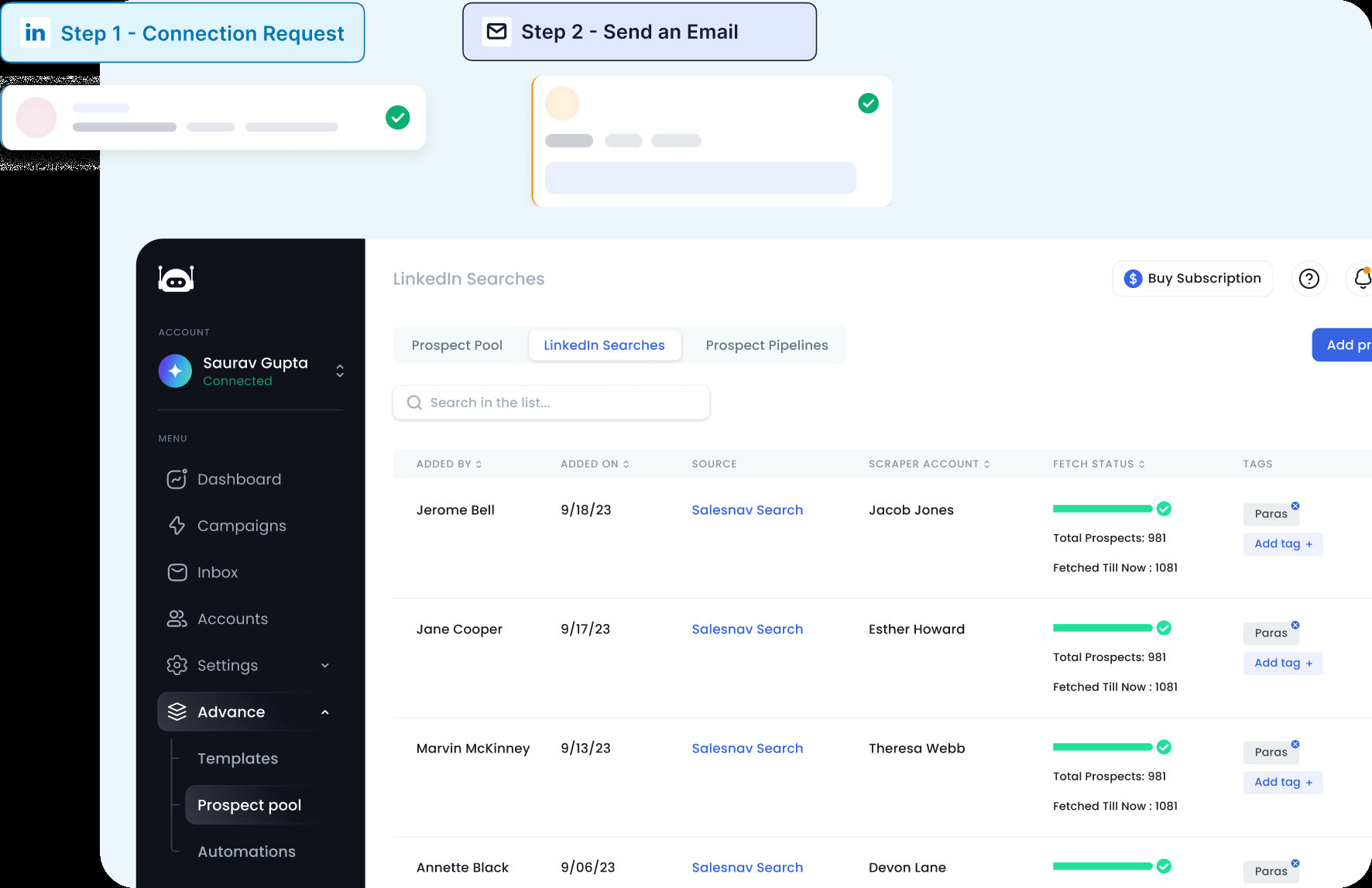
SalesRobot is a cloud-based LinkedIn and cold email automation platform trusted by over 4,100 B2B sales teams and lead generation agencies. It is specifically engineered to be the safest LinkedIn automation tool on the market, using LinkedIn mobile app APIs on the backend to reduce account ban risk to an industry-low 0.00001%. SalesRobot goes far beyond simple connection request automation—it supports AI-powered voice notes, personalized video messages, an AI appointment setter agent, and full cold email automation, making it one of the most feature-rich outreach platforms available.
The platform has earned a 4.8 rating on G2 from over 53 reviews, with users consistently praising its AI capabilities and the variety of outreach formats it supports. SalesRobot is particularly popular among B2B agencies, with over 110 marketing agencies using its white-label program to resell the service under their own brand and generating over $10,000 per month in profit. Its AI Appointment Setter Agent handles lead nurturing autonomously, responding to prospects on your behalf within minutes of a reply to prevent the 50% conversion drop that occurs when leads are not followed up with promptly.
SalesRobot's unique selling point is its ability to send AI-personalized voice notes and video messages on LinkedIn—a capability no other LinkedIn automation tool on the market offers at scale. This multimodal approach to outreach has helped users achieve reply rates of 40% or higher, significantly outperforming text-only campaigns. For B2B teams that want to stand out in crowded LinkedIn inboxes, SalesRobot provides the tools to do so safely and at scale.
Pricing
- Basic: $39/LinkedIn account/month (billed annually) or $59/month — 1 active campaign, limited daily quotas, advanced dashboard
- Advanced: $59/LinkedIn account/month (billed annually) or $79/month — unlimited campaigns, full daily quotas, A/B testing, personal inbox, webhooks
- Professional: $79/LinkedIn account/month (billed annually) or $99/month — everything in Advanced plus team management, activity control
- Enterprise: Custom pricing — dedicated technical support, customer success manager, premium onboarding
- Free Trial: 14 days available on all plans
Getting Started
SalesRobot offers a 14-day free trial with no credit card required, making it easy to evaluate the platform before committing. Sign up at app.salesrobot.co and follow the guided onboarding to connect your LinkedIn account. Unlike browser-based tools, SalesRobot runs entirely in the cloud with dedicated IPs assigned to each LinkedIn account, so you do not need to keep your computer running for campaigns to execute.
After connecting LinkedIn, you can import your prospect list from LinkedIn Sales Navigator, upload a CSV, or use SalesRobot's native lead discovery features. The platform also includes 225 free email enrichment credits (equivalent to 75 emails found) to get you started with cold email automation as well. Once your leads are loaded, you can choose from pre-built campaign templates or build a custom multi-step sequence from scratch.
Core Features
AI Appointment Setter Agent: SalesRobot's most innovative feature is its AI Appointment Setter, which monitors your LinkedIn inbox 24/7 and responds to leads on your behalf the moment they reply. You can train the AI on your company's value proposition, objection handling scripts, and qualification criteria, and it will hold conversations autonomously until a prospect is ready to book a meeting. Studies show that response speed within 5 minutes increases conversion rates by 50%—SalesRobot's AI ensures you never miss that window.
AI-Personalized Voice Notes and Video Messages: SalesRobot allows users to clone their voice and send AI-personalized voice notes to each prospect on LinkedIn, with the prospect's name and custom context woven into each message. Similarly, users can send personalized video messages at scale. These multimodal outreach formats have driven reply rates of 40%+ in user case studies, making them a powerful differentiator in crowded LinkedIn inboxes.
Safest LinkedIn Automation Architecture: SalesRobot connects to LinkedIn using the official LinkedIn mobile app APIs on the backend, rather than browser automation or cookie-based methods. This architectural choice dramatically reduces detection risk. Combined with dedicated IPs for each account and intelligent activity pacing that mimics human behavior, SalesRobot users report exceptionally low ban rates—a critical factor for agencies managing multiple client accounts.
Full Cold Email Automation: Beyond LinkedIn, SalesRobot includes complete cold email automation with support for Gmail, Outlook, and custom SMTP connections. The platform includes unlimited email warmup, smart reply detection, and the ability to build multichannel sequences that alternate between LinkedIn and email touchpoints based on prospect behavior.
White-Label for Agencies: SalesRobot's white-label program allows agencies to resell the platform under their own brand. With over 110 agencies already participating, it is a proven model for building recurring revenue. Agencies can manage multiple client accounts from a single dashboard with bulk pricing that makes the economics attractive at scale.
First Project Tutorial
Step 1 — Sign Up and Connect LinkedIn: Visit salesrobot.co and start your 14-day free trial. Connect your LinkedIn account through the secure OAuth flow. SalesRobot will assign a dedicated cloud IP to your account and begin the warmup process if you are starting fresh.
Step 2 — Import Your Prospect List: Use LinkedIn Sales Navigator to build a search, then import the results into SalesRobot. Alternatively, upload a CSV of prospects or use SalesRobot's built-in search capabilities. Enable email enrichment to find verified email addresses for your prospects to enable multichannel outreach.
Step 3 — Build Your Campaign: Choose a campaign template or build a custom sequence. Design your LinkedIn connection request message, follow-up messages, voice notes, and email touchpoints. Use SalesRobot's personalization tokens to include prospect-specific details. Set your daily send limits within LinkedIn's safe thresholds.
Step 4 — Activate AI and Launch: Enable the AI Appointment Setter for autonomous reply handling and launch your campaign. Monitor performance through the advanced dashboard, tracking acceptance rates, reply rates, and booked meetings. Use A/B testing (Advanced and Professional plans) to optimize message copy over time.
Best Practices and Optimization
Use Voice Notes and Video to Stand Out: Text messages on LinkedIn have become increasingly generic and easy to ignore. SalesRobot's AI voice note and video capabilities give you an immediate advantage—recipients are far more likely to listen to a short personalized voice message than read another cold text message. Start with voice notes as a second or third touchpoint in your sequence for maximum impact, after the initial connection request has been accepted.
Train Your AI Appointment Setter Thoroughly: The AI Appointment Setter is only as good as the training data you provide. Spend time crafting detailed scripts that cover your key value propositions, common objections, qualification questions, and desired next steps (e.g., booking a calendar link). The more specific and scenario-aware your training, the more effective the AI will be at converting replies into booked meetings autonomously.
Stay Within Safe Activity Limits: Even with SalesRobot's safe architecture, it is important to respect LinkedIn's activity thresholds. Keep connection requests to 20–30 per day for new accounts and 40–50 per day for seasoned accounts. SalesRobot's built-in Smart Reply Detection automatically pauses message sending once a prospect responds, preventing the awkward situation of sending a follow-up to someone who has already replied.
Pros and Cons
- Industry-leading safety architecture using LinkedIn mobile app APIs
- Unique AI voice notes and video messages drive 40%+ reply rates
- AI Appointment Setter handles lead nurturing fully autonomously
- 14-day free trial available with no credit card required
- Pricing is per LinkedIn account, which can add up for large teams managing many accounts
- AI features and unlimited campaigns require Advanced plan or higher
- AI Appointment Setter requires careful training to perform optimally
- White-label and agency features require custom arrangement
What Users Are Saying
SalesRobot has a growing community of users sharing their results and experiences across various platforms.
- Reddit r/b2bmarketing: Tried 4 LinkedIn automation tools for lead generation
- Reddit r/LinkedinAds: What tools do you use for LinkedIn automation?
Summary
SalesRobot is a standout LinkedIn automation platform that combines exceptional account safety with cutting-edge AI capabilities including voice notes, video messages, and an autonomous appointment-setting agent. For B2B sales teams and agencies that want to run high-volume outreach without risking account bans, and that want to explore multimodal outreach formats that competitors simply cannot match, SalesRobot is a compelling choice. With a 14-day free trial and plans starting at $39/month per account, it is accessible to individual sellers and scalable for agencies managing dozens of client accounts.
Reviews
No reviews yetSimilar tools in category

ContentIn
Generate high-quality written content tailored to your needs.

Crystal Knows
A platform that analyzes personality traits to enhance communication and collaboration.

Grammarly
An AI-powered writing assistant that enhances clarity, grammar, and style in your text.