Typegrow
Typegrow is a cloud-based LinkedIn content and scheduling tool that uses the official LinkedIn API for AI writing, publishing, and audience growth.
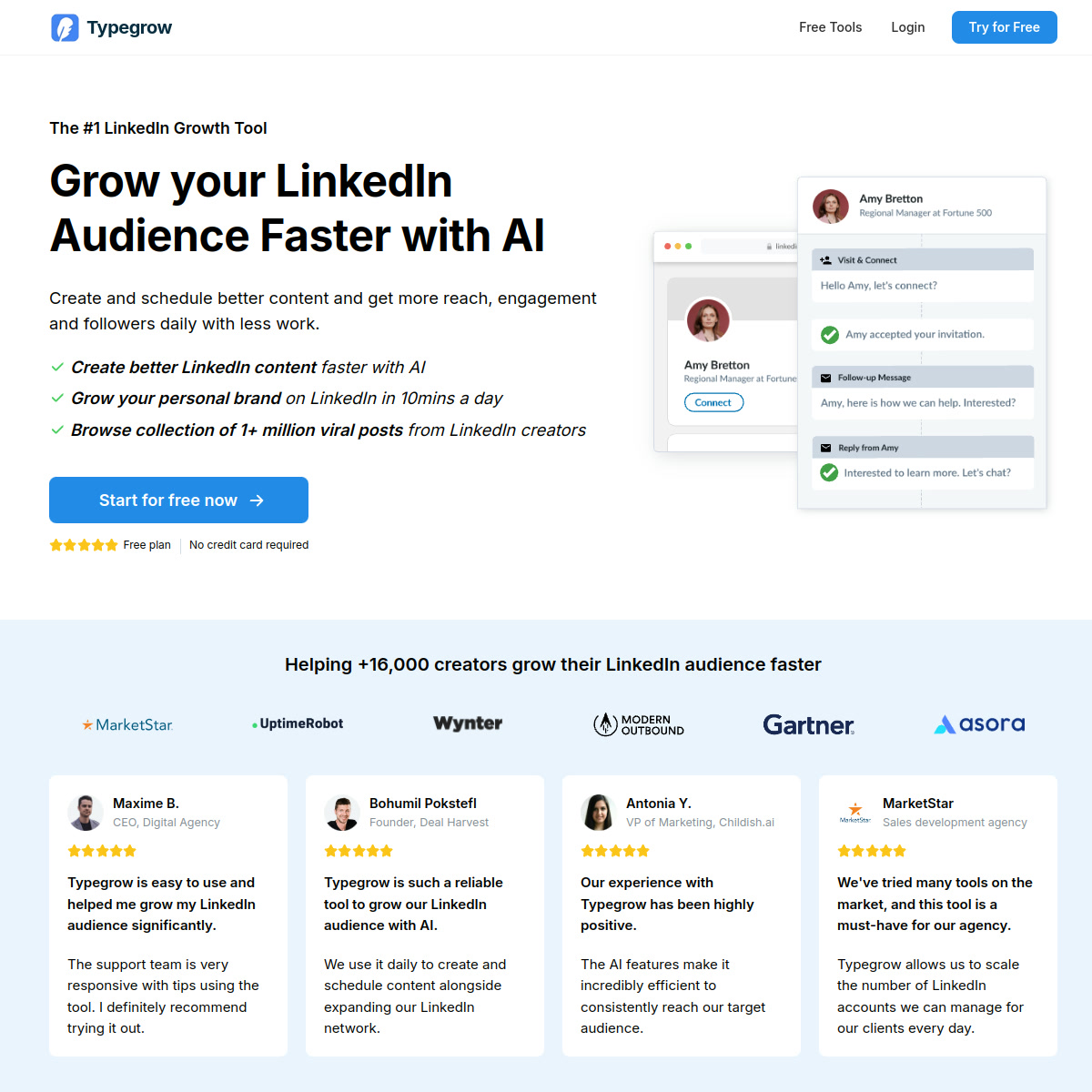
Typegrow: LinkedIn Content Creation and Scheduling Tool for Personal Branding (2026)
Typegrow is a cloud-based LinkedIn content creation and scheduling tool by Typegrow that focuses on helping creators, founders, marketers, and agencies publish more consistently without relying on browser automation. Its clearest differentiators are an official LinkedIn API connection, AI writing assistance, a viral-post library, and one-click scheduling for personal profiles and company pages. It is a better fit for personal branding and inbound demand generation than for outbound prospecting, so SDR teams that want LinkedIn outreach automation or CRM-driven sequences should look elsewhere.
Typegrow: Key Specs at a Glance
| Feature | Typegrow |
|---|---|
| Primary use case | LinkedIn content creation, scheduling, and personal brand growth |
| Best for | Creators, founders, consultants, marketers, and agencies growing LinkedIn audiences |
| Deployment type | Cloud-based web app |
| LinkedIn compliance claim | Typegrow says it uses the official LinkedIn API and keeps accounts safe |
| Official LinkedIn API | Yes, according to the official FAQ |
| Browser extension required | No |
| Scheduling | Yes, including personal profiles and company pages |
| AI writing assistance | Yes |
| Viral content library | Yes, 1+ million LinkedIn posts according to the homepage |
| Analytics features | Not publicly documented in detail |
| Sales Navigator required | No public requirement documented |
| CRM integrations | Not publicly documented |
| Team or agency features | Agency support is claimed; multi-account management is described as coming soon |
| Pricing model | Free plan today, with signs of paid plans being prepared |
| Free plan | Yes, no credit card required |
| Paid plans | Public copy says future paid plans are in progress; pricing page source also contains unpublished price objects for $29 monthly and $240 yearly |
What Typegrow Does Well
AI writing assistance stays close to the LinkedIn workflow
Typegrow is built around LinkedIn-specific writing tasks rather than generic social copy. The homepage highlights AI assistance for posts, hooks, carousels, formatting, and previews, which makes it more focused than broad social schedulers that treat LinkedIn as just another channel.
Scheduling works without a browser extension
Typegrow says it runs fully in the cloud and does not require any browser extension. That matters because content scheduling through an official API connection is usually more stable and lower-risk than tools that depend on browser scraping or local session automation.
The viral-post library adds practical research value
The official site claims access to a library of more than one million viral LinkedIn posts. For solo creators and agencies, that can reduce time spent hunting for inspiration and make it easier to spot proven hooks, post structures, and carousel ideas before writing.
It supports both creators and company-page workflows
Typegrow says users can post from personal profiles and any company pages they control. That makes it more useful for consultants and agency operators who need one tool for founder-led content and branded company publishing.
Known Limitations
- Pricing is not fully settled in public: the FAQ says Typegrow is currently free, while the pricing page source already includes unpublished monthly and yearly price objects, so budgeting beyond the free phase is unclear.
- CRM integrations are not publicly documented, which makes workflow planning harder for revenue teams that need HubSpot, Salesforce, or Pipedrive handoffs.
- Typegrow is a content-growth product, not a LinkedIn outbound platform, so teams looking for prospecting, message sequencing, or contact enrichment will outgrow it quickly.
- Analytics depth is not clearly documented on the official site, so buyers should not assume robust reporting, attribution, or historical benchmarking.
- Agency support is mentioned, but multi-account management is framed as a future capability, which suggests current agency operations may still be lighter than full-scale client workflow tools.
Best For: Who Should Use Typegrow
- Solo founders who want a repeatable LinkedIn publishing system without hiring a ghostwriter.
- Consultants and coaches building personal-brand reach with AI-assisted posts, hooks, and carousels.
- Small marketing teams managing both founder accounts and company pages from one content workflow.
- Agencies that need a LinkedIn-first content tool rather than a general social scheduler.
Who Should Look Elsewhere
- SDR teams that need LinkedIn outreach automation, inbox sequencing, or lead-enrichment features.
- Teams that require documented CRM integrations and clear reporting exports before rollout.
- Enterprise buyers who need locked-in pricing, seat governance, and mature multi-account controls today.
How Typegrow Works with LinkedIn
Typegrow explicitly says it uses the official LinkedIn API to connect accounts and publish content from personal profiles or company pages. That is a stronger stability signal than tools that depend on browser extensions or unofficial automation layers for posting.
Because Typegrow is positioned as a content-growth product rather than an outreach bot, the main risk profile is lower than for scraping or connection-request automation tools. Still, the site does not publish detailed API limitations, analytics quotas, or account-governance rules, so teams should test carefully before standardizing it across multiple client accounts.
Pricing and Cost at Scale
Typegrow currently markets a free plan with no credit card required. The public FAQ also says the product is completely free for now, but the pricing page source contains unpublished price objects that point to a $29 monthly option and a $240 yearly option, which looks like a planned annual discount.
For a solo creator, that means the current cost profile is effectively $0 until Typegrow formalizes paid packaging. For a five-seat team, a future $29 per seat monthly model would translate to about $145 per month, while an annualized $240 per seat structure would land near $1,200 per year for five users if launched as shown in the source data.
Agencies should treat pricing as provisional because public copy still emphasizes free usage while multi-account features appear to be evolving. Prices are subject to change. Check the official pricing page for current details.
Integrations and Workflow Fit
The official site clearly documents LinkedIn profile and company-page publishing, but it does not list CRM integrations, webhook options, or an API for custom workflows. That makes Typegrow feel like a standalone LinkedIn content workspace rather than an ops-heavy marketing platform.
In practice, the best fit is simple: draft ideas, turn them into posts with AI, check previews, schedule them, and use the viral-post library for inspiration. If your process starts or ends inside a CRM, the missing integration detail is a real buying consideration.
Getting Started
- Create a Typegrow account from the free plan signup.
- Connect your LinkedIn account through the official API flow.
- Draft a post with the AI assistant or adapt an idea from the viral-post library.
- Schedule the post for your profile or company page and verify how it renders in preview before publishing.
What Users Are Saying
Community discussion around Typegrow is still relatively light, but the visible Reddit footprint is directionally consistent. Users tend to mention scheduling convenience, the viral-post library, and the value of a LinkedIn-specific workflow over generic social publishing tools.
- Reddit: Any feedback on using AI tools to grow LinkedIn network?
- Reddit: Looking for an affordable LinkedIn scheduling tool that handles all content types
- Reddit: How to find LinkedIn viral posts?
FAQ
Is Typegrow safe for LinkedIn?
Safer than browser automation tools. Typegrow says it uses the official LinkedIn API and does not require a browser extension, which is a better trust signal than unofficial posting automation, though buyers should still validate its workflow on their own accounts.
Is Typegrow free?
For now, yes. The public pricing copy says there is a free plan with no credit card required, and the FAQ says Typegrow is currently completely free to use.
Does Typegrow require Sales Navigator?
No public requirement. The official site does not say Sales Navigator is needed for the core writing and scheduling workflow.
What CRMs does Typegrow integrate with?
Not publicly documented. If CRM handoff matters, ask sales or support before rollout.
Is Typegrow cloud-based or a browser extension?
Cloud-based. Typegrow says it runs fully in the cloud and does not require any browser extension.
Does Typegrow use the official LinkedIn API?
Yes, according to Typegrow's official FAQ. That is one of the product's strongest claims for account safety and stability.
Sources
Reviews
No reviews yetSimilar tools in category

ContentIn
Generate high-quality written content tailored to your needs.

Crystal Knows
A platform that analyzes personality traits to enhance communication and collaboration.

Grammarly
An AI-powered writing assistant that enhances clarity, grammar, and style in your text.