
Agorapulse
Manage and analyze your social media presence efficiently.
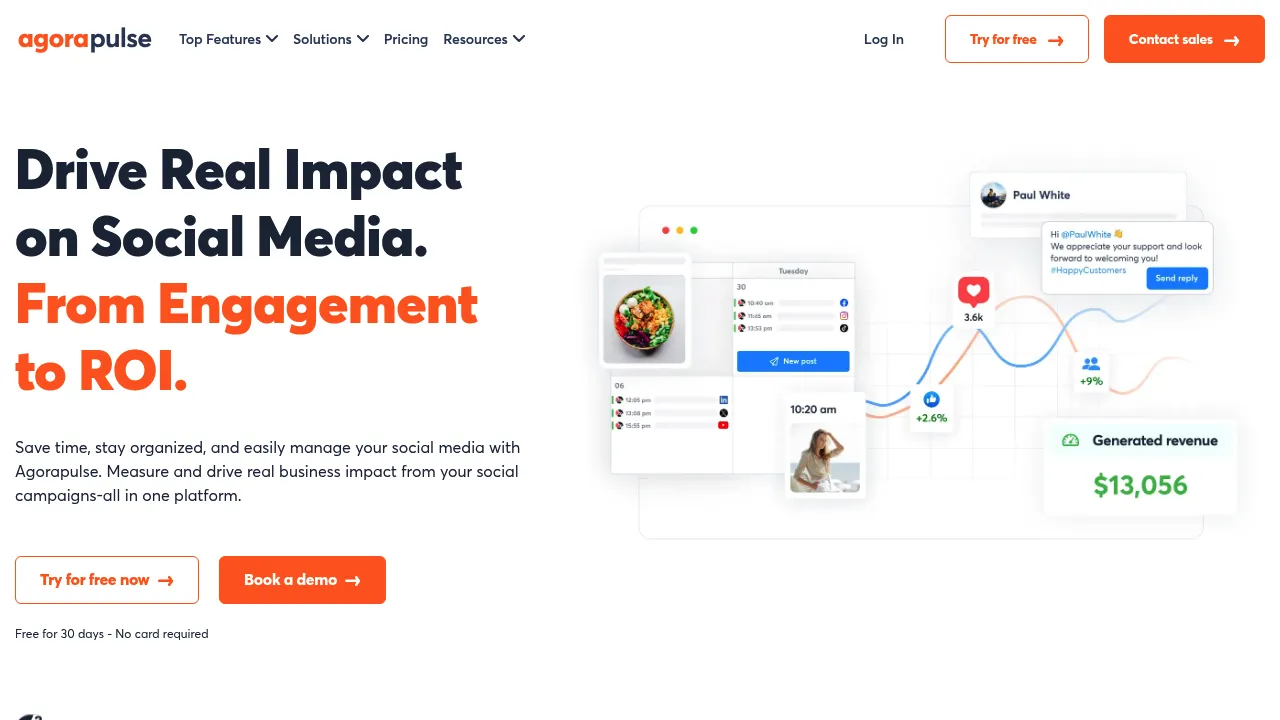
Agorapulse: The Ultimate LinkedIn Management Tool
Overview of Agorapulse
Agorapulse is a comprehensive social media management tool designed to streamline your LinkedIn marketing efforts. It offers a wide range of features to help you schedule and publish content, manage interactions, and analyze the impact of your campaigns.
Key Benefits and Use Cases
- Content Scheduling: Easily schedule your LinkedIn content in advance, saving you time and ensuring consistent posting.
- Interaction Management: Manage all your online conversations in one place, including LinkedIn comments and messages.
- Advanced Reporting: Make informed decisions with detailed social media reports that highlight the performance of your content.
Who Uses
- Small to Medium Businesses: Ideal for businesses looking to enhance their social media presence and engagement.
- Marketing Agencies: Agencies can use Agorapulse to manage multiple client accounts efficiently.
- Individual Professionals: Professionals can use it to maintain a strong personal brand on LinkedIn.
What Makes Agorapulse Unique
- Integration with Major Social Media Platforms: Agorapulse supports LinkedIn, Facebook, Instagram, Twitter, and more.
- Customizable Features: Offers flexible scheduling options, including the ability to insert a first comment before scheduling a post.
- Collaboration Tools: Allows team members to collaborate on content creation and approval processes.
Core Features
Essential Functions Overview
- Posts Scheduling: Schedule your content in advance using flexible scheduling options.
- Unified Publishing Calendar: View all your past and upcoming posts for all your social profiles in one calendar.
- Standard Social Inbox: Manage up to 5000 messages or comments per month, ideal for moderately engaged audiences.
- Automated Inbox Assistant: Instantly translate your messages and comments into any language.
- Basic Social Media ROI Reports: Simplified Google Analytics reports that highlight how networks and campaigns are contributing to ROI.
Common Settings Explained
- Draft Posts: Create and store draft posts in your digital media asset library.
- Shared Calendars: Send your LinkedIn content for approval to internal and external stakeholders.
- First Comment Scheduling: Insert a first comment before scheduling your post to maximize reach.
- Team Workflow: Assign posts to be approved by other team members, ideal for speeding up internal approval processes.
Tips & Troubleshooting
Tips for Best Results
- Regularly Update Your Content Calendar: Ensure your calendar is always up-to-date with fresh content.
- Use Saved Replies: Save common responses to frequently asked questions to streamline your interaction management.
- Monitor Your Analytics: Regularly check your analytics to understand what content performs best and when.
Troubleshooting Basics
- Check for API Changes: Agorapulse has introduced add-ons like X Lite and X Plus due to Twitter’s API pricing changes. Ensure you understand these changes and their impact on your usage.
- Clear Cache and Cookies: Sometimes, clearing your browser cache and cookies can resolve issues with the platform.
Best Practices
Common Mistakes to Avoid
- Overposting: Avoid overposting, as it can lead to audience fatigue. Instead, focus on quality over quantity.
- Ignoring Analytics: Failing to monitor analytics can lead to poor content performance. Regularly check your reports to understand what works and what doesn’t.
Performance Optimization
- Use Bulk Scheduling: Schedule posts in bulk to save time and ensure consistent posting.
- Optimize Your Content: Ensure your content is optimized for each platform, including image sizes and hashtags.
Pros and Cons
Pros
- Comprehensive Features: Offers a wide range of features for managing and analyzing social media content.
- User-Friendly Interface: Easy to use, even for those without extensive technical knowledge.
- Collaboration Tools: Ideal for teams, with features like shared calendars and team workflows.
- Advanced Reporting: Detailed reports help in making informed marketing decisions.
Cons
- Pricing Changes: Pricing plans have changed over time, which may affect budget planning.
- Limited Free Plan: The free plan is limited to 3 social networks and 1 user, which may not be sufficient for larger teams.
- Minor Annoyances: Some users have reported minor issues like notifications staying open in the original tab.
Summary
Agorapulse is a powerful tool for managing your LinkedIn marketing efforts. Its comprehensive features, user-friendly interface, and collaboration tools make it an ideal choice for businesses and marketing agencies. While it has its limitations, including pricing changes and a limited free plan, it remains a top choice for those looking to streamline their social media management.
Pricing Plans
Agorapulse offers the following pricing plans:
- Standard: $49 per user per month (billed annually) or $59 per user per month (billed monthly).
- Professional: $79 per user per month (billed annually) or $89 per user per month (billed monthly).
- Advanced: $119 per user per month (billed annually) or $129 per user per month (billed monthly).
- Custom: Please contact Agorapulse for pricing details.
Disclaimer: Pricing might be changed, so it's always best to check the official pricing page for the most up-to-date information.
For more details on pricing, visit the official Agorapulse pricing page: https://www.agorapulse.com/pricing/
Reviews
No reviews yetSimilar tools in category
VanillaSoft
A platform that streamlines lead management and enhances sales productivity through automated workflows and communication tools.

Sprout Social
Manage and analyze your social media presence to enhance engagement and grow your audience.

AeroLeads
Generate targeted leads with accurate contact information for your business.