MyFeedIn
Chrome-based LinkedIn workspace with custom feeds, engagement analytics, and optional outreach sequences.
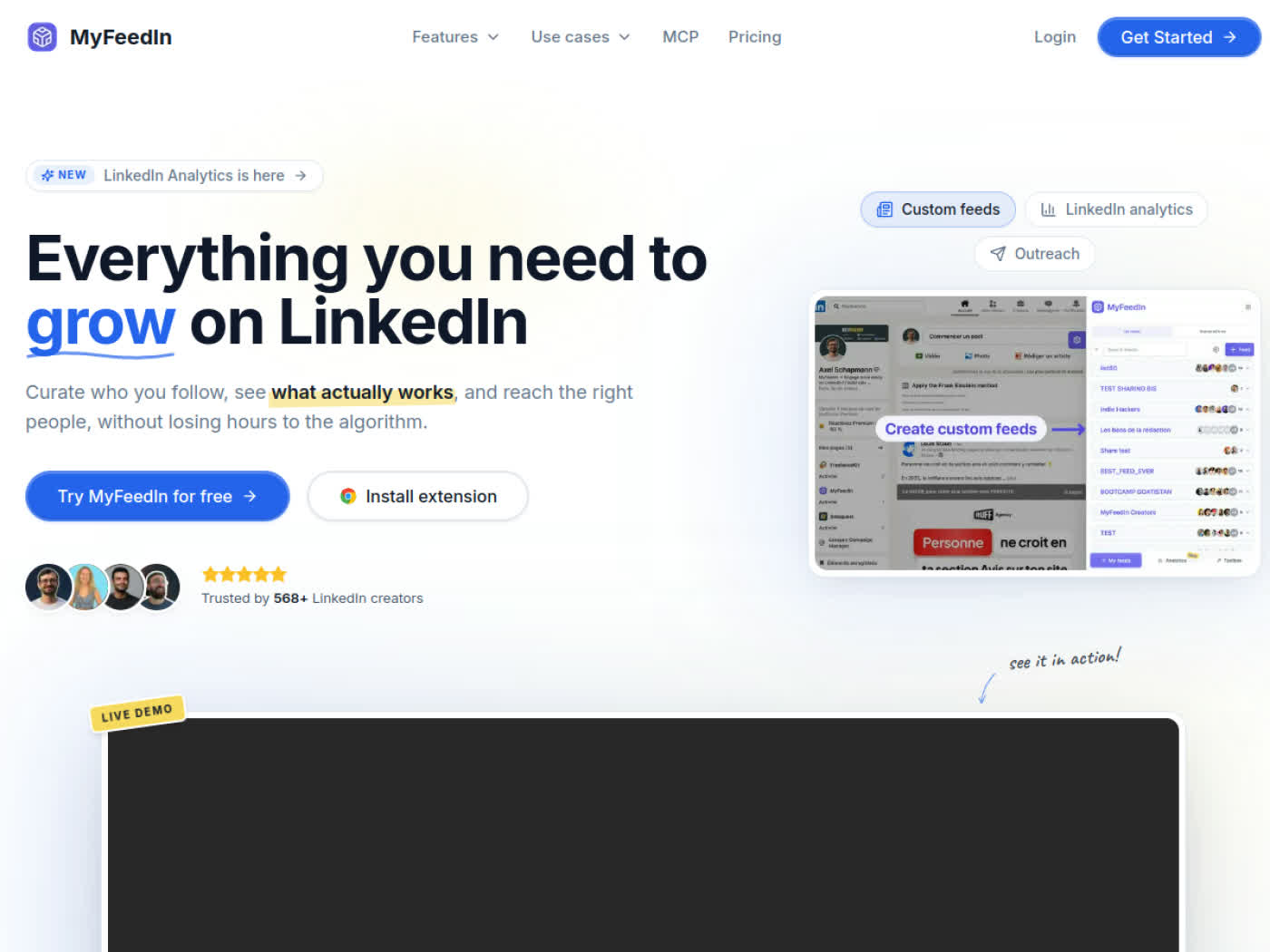
MyFeedIn: LinkedIn Browser Extension and Outreach Tool for Feed Control, Engagement, and Light CRM (2026)
MyFeedIn is a Chrome-based LinkedIn feed and engagement tool from maker Axel Schapmann that combines custom feeds, post and comment analytics, and optional outreach workflows in one browser-native product. It is best for solo creators, founder-led sales, and operators who want to spend less time fighting the LinkedIn feed and more time engaging with the right people. It is a weaker fit for teams that need documented CRM integrations, multi-seat controls, or a cleaner cloud-only compliance story for outbound.
MyFeedIn: Key Specs at a Glance
| Primary use case | Custom LinkedIn feeds, engagement workflows, light outbound, and post/comment analytics |
|---|---|
| Best for | Solo creators, founders, and outbound operators who want one browser-native LinkedIn workspace |
| Deployment type | Chrome extension plus web app |
| LinkedIn compliance claim | Core feed feature is presented as a native LinkedIn enhancement; outreach features do not include a strong public Terms-of-Service guarantee |
| Daily connection limit | Not publicly documented |
| Safety features | Focus mode, browser-native workflow, reply pipeline, and sequence rules that pause on weekends and respect time zones |
| Sales Navigator required | No |
| InMail support | Not publicly documented |
| Sequence builder | Yes - multi-step invitations and direct-message sequences |
| CRM integrations | No public third-party CRM list; includes an internal reply pipeline and contact management layer |
| Email enrichment | No public email-finding feature documented |
| Team features | Not publicly documented beyond single-seat plan presentation |
| API availability | MCP is referenced in navigation, but public implementation details are not documented |
| Pricing model | Freemium entry point plus subscription and lifetime option |
| Free plan | Yes - the site states you can start free and the first custom feed is free; paid plans also include a 7-day free trial |
| Paid plans | Starter $15/month, Growth $29/month, and a $149 one-time lifetime option without outreach campaigns |
What MyFeedIn Does Well
A better way to control the LinkedIn feed
MyFeedIn's strongest differentiator is that it solves a real LinkedIn pain point before it tries to automate anything. Instead of forcing you into a generic dashboard, it runs on linkedin.com and lets you build custom feeds around creators, prospects, and thought leaders you actually want to watch. That makes it useful for founders and creators who care more about signal quality than raw outreach volume.
Comment and post analytics that connect to real engagement work
The product does more than show vanity metrics. The site positions MyFeedIn as a way to track posts and comments, identify strong hooks, and understand which conversations drive profile views or follower growth. That is a better workflow fit than a pure analytics dashboard for people who actively comment to grow on LinkedIn.
Outreach is bundled into the higher plan instead of treated as a separate stack
The Growth plan adds multi-step outreach campaigns, invitations, direct messages, and a reply pipeline. For solo operators who want one place for feed curation, engagement, and lightweight outbound, that is cheaper than stitching together a browser extension, a separate CRM, and a second outreach tool.
Known Limitations
- Account-safety risk is lower for the custom-feed feature than for the outreach feature set, but once you connect invitations and direct messages you are back in classic LinkedIn automation territory.
- Daily connection caps are not publicly documented, so buyers cannot benchmark MyFeedIn's guardrails against more mature cloud outreach tools.
- The product is tied to a Chrome-extension workflow, which is less attractive for teams that prefer cloud tools with centralized admin controls.
- Public CRM integrations are not documented, so sales teams that already run HubSpot or Salesforce should expect manual workflow gaps.
- The lifetime plan excludes outreach campaigns, which makes the headline one-time price less comparable to the $29 Growth tier than it first appears.
Best For: Who Should Use MyFeedIn
- Solo creators who want curated feeds, comment tracking, and a simpler way to engage on LinkedIn every day.
- Founder-led sales workflows where one person handles posting, replying, prospecting, and light pipeline management from the same setup.
- Outbound users who want browser-native sequences instead of a separate cloud dashboard.
- People who value custom-feed control more than enterprise reporting or deep CRM sync.
Who Should Look Elsewhere
- Large sales teams should look elsewhere if they need admin controls, multi-seat governance, or documented CRM integrations.
- Risk-sensitive teams should look elsewhere if they want a cleaner cloud-only compliance story for outbound.
- Pure content creators should look elsewhere if they do not need outreach and mainly want AI writing plus scheduling.
LinkedIn Safety and Compliance
MyFeedIn has two very different risk profiles. Its core feed and engagement features run as a browser-native enhancement on LinkedIn, and the public FAQ frames that part as safe because it enriches the experience rather than taking action on your behalf.
The Growth plan changes the equation. Once you enable invitations, direct messages, and multi-step sequences, the product becomes an automation tool, and the site does not publish a strong public LinkedIn Terms-of-Service guarantee or hard daily connection caps. That does not make it unusable, but it does mean you should start conservatively and treat outreach as higher risk than the feed product.
If LinkedIn restricts your account, pause all sequences first, then remove any aggressive cadence, review which messages were automated, and restart only after your account health is stable. Teams with no tolerance for account interruptions should prefer an official-API publishing tool or a more heavily documented cloud outreach platform.
Pricing and Cost at Scale
MyFeedIn's pricing is straightforward at the top level: Starter is $15 per month, Growth is $29 per month, and the lifetime deal is $149 one time. The site also promotes a 7-day free trial and a free starting point for the first custom feed.
For a solo creator, Starter is easy to justify if custom feeds and comment analytics replace enough wasted scrolling time. For a founder or SDR who wants lightweight outreach, Growth is the real plan to evaluate because it unlocks invitations, direct messages, and sequences.
Cost escalates less cleanly for teams because the public page is presented around single-seat plans and does not document a team bundle. If you need five users, the simple mental model is multiple subscriptions rather than a proper admin plan. Pricing can change, so verify the current checkout page before procurement.
Integrations and Workflow Fit
MyFeedIn fits best as a standalone LinkedIn operating layer rather than a deep system-of-record product. The official site highlights custom feeds, analytics, reply tracking, and contact management, but it does not publish a confirmed CRM integration list.
That makes workflow fit very dependent on how much structure you already have. If your process lives inside LinkedIn and you only need lightweight tracking, MyFeedIn can reduce tool sprawl. If your organization needs contacts, activities, and campaign states synchronized into HubSpot or Salesforce, the undocumented integration story is a real gap.
Getting Started
- Install the Chrome extension and connect MyFeedIn to your LinkedIn workflow.
- Build one custom feed around creators, prospects, or accounts that matter to your role.
- Track which posts and comments actually drive profile visits before you touch outreach.
- Only then test the Growth plan, and start with conservative message sequences and manual review.
What Users Are Saying
Public discussion around MyFeedIn is still early-stage, which is typical for a newer maker-led LinkedIn product. The outside signal is strongest around the Chrome extension value proposition and the promise of reclaiming the LinkedIn feed from algorithm noise.
The downside is that there is not yet a deep pool of third-party buyer feedback from enterprise sales teams. That means you should weigh the product more like a fast-moving specialist tool than a fully market-proven platform.
- Chrome Web Store: https://chromewebstore.google.com/detail/myfeedin-transform-your-l/enliacdgianieomegijopbecafnapnha?hl=en
- Reddit discussion: https://www.reddit.com/r/SideProject/comments/1f7tjbf/transform_your_linkedin_feed_with_myfeedin/
- PHDeck profile: https://www.phdeck.com/product/myfeedin
FAQ
Is MyFeedIn safe for LinkedIn?
No blanket guarantee - the custom-feed layer has a lighter risk profile, but the Growth plan includes invitations, direct messages, and sequences, so you should treat it like any other LinkedIn automation workflow and start conservatively.
Is MyFeedIn free?
Partly - the site says you can start free and that your first custom feed is free, while paid plans also come with a 7-day trial.
Does MyFeedIn require Sales Navigator?
No - MyFeedIn's public marketing does not say Sales Navigator is required.
Is MyFeedIn cloud-based or a browser extension?
Browser extension first - the main workflow runs natively on LinkedIn through Chrome, with a companion web layer for pricing and product management.
Does MyFeedIn integrate with HubSpot or Salesforce?
Not publicly documented - the site describes internal contact management and a reply pipeline, but it does not publish a confirmed third-party CRM list.
Sources
Reviews
No reviews yetSimilar tools in category
VanillaSoft
A platform that streamlines lead management and enhances sales productivity through automated workflows and communication tools.

Sprout Social
Manage and analyze your social media presence to enhance engagement and grow your audience.

AeroLeads
Generate targeted leads with accurate contact information for your business.