Shield Analytics
Cloud-based LinkedIn analytics platform for content creators and agencies. Tracks post performance, audience demographics (job titles, industries, locations), follower growth, and provides AI-powered querying of your full LinkedIn post history via Shield Agent. Trusted by 10,000+ creators in 50+ countries since 2019. No cookies collected, no automation — analytics-only, safe for any LinkedIn account.
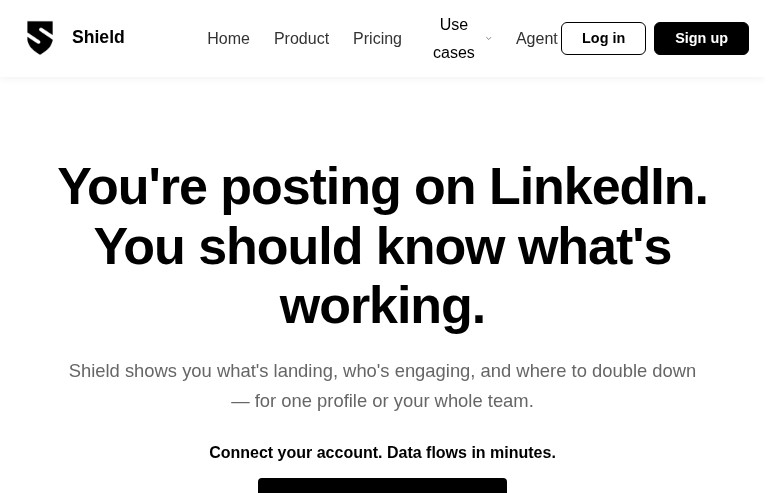
Shield Analytics: LinkedIn Analytics Tool for Content Creators and Personal Brand Growth (2026)
Shield Analytics is a cloud-based LinkedIn analytics platform developed by Shield Intelligence (Denmark), designed exclusively for LinkedIn content creators, agencies, and teams who want in-depth performance data beyond what LinkedIn's native analytics provides. Unlike browser extension-based tools, Shield connects to LinkedIn via official data access methods without collecting cookies or automating user behavior — which means no risk of account automation flags.
Shield's core value is its post archive: it captures your full lifetime LinkedIn post history the moment you connect, then tracks impressions, engagement rates, audience demographics (job titles, locations, industries), and follower growth over time. The addition of Shield Agent brings AI-powered plain-language querying of your own data. Trusted by 10,000+ creators and brands in 50+ countries since 2019.
Who should not choose Shield: if you need LinkedIn automation, outreach, or content creation features — Shield is analytics-only. It does not post on your behalf, schedule content, or generate copy.
Shield Analytics: Key Specs at a Glance
| Feature | Shield Analytics |
|---|---|
| Primary use case | LinkedIn content analytics and performance tracking |
| Best for | Content creators, personal brands, agencies managing multiple LinkedIn profiles |
| Deployment type | Cloud-based web app — no browser extension required |
| LinkedIn compliance claim | Yes — no cookie collection, no automation, no scraping; active since 2019 |
| Daily connection limit | N/A — analytics-only, no outreach features |
| Safety features | No automation of any kind; data access without cookie tracking |
| Sales Navigator required | No |
| InMail support | No — analytics tool only |
| Sequence builder | No |
| CRM integrations | Not publicly documented (export to CSV available) |
| Email enrichment | No |
| Team features | Yes — multiple profiles, shared dashboard, team roles and permissions, volume discounts at 10+ profiles |
| API availability | Not publicly documented |
| Pricing model | Subscription per profile/month |
| Free plan | No — 7-day free trial (no credit card required) |
| Paid plans | Personal: $25/month (1 profile); Team: $25/profile/month (multi-profile, volume discounts at 10+) |
What Shield Analytics Does Well
Full Lifetime Post Archive with Audience Demographics
Shield pulls your complete LinkedIn post history the moment you connect — not just recent posts. For each post, it tracks impressions, reactions, comments, reposts, engagement rate, and saves. Crucially, the audience breakdown (job titles, geographies, industries of people engaging) goes significantly deeper than LinkedIn's native data and is critical for validating whether your content reaches the right decision-makers.
Shield Agent — AI-Powered Data Querying
Every plan includes Shield Agent, which has full access to your complete LinkedIn analytics history. You can ask plain-language questions like "What's my best-performing post type?" or "When should I post to maximize reach?" and get data-backed answers. This is particularly useful for agencies who need fast, client-ready insights without building custom reports.
Multi-Profile Agency Dashboard
The Team plan supports an unlimited number of profiles in a single account with a shared dashboard view, team roles, and permissions. Volume discounts kick in automatically at 10+ profiles, making it cost-effective for agencies or companies running employee advocacy programs. The $25/profile/month price drops as you scale.
Zero Automation Risk — Genuinely Safe for LinkedIn
Shield explicitly does not collect cookies, does not automate user behavior, and does not scrape LinkedIn data via unofficial means. This matters more in 2026 than ever, as LinkedIn has intensified enforcement against automation tools. Shield has operated since 2019 without account safety incidents publicly reported.
Known Limitations
- Analytics-only, no content creation: Shield does not draft posts, suggest content, schedule, or help with writing. If you want an all-in-one tool, you need a separate solution for content creation.
- LinkedIn API data limitations: LinkedIn may not retain full engagement metrics for older posts, so historical data completeness depends on what LinkedIn's platform preserved. Shield cannot recover metrics that LinkedIn itself has discarded.
- Per-profile pricing adds up for agencies: At $25/profile/month, a 20-profile agency account costs $500/month minimum (before volume discounts). Agencies with large client rosters need to calculate ROI carefully.
- No CRM integration or outreach tracking: Shield tracks content performance, not pipeline impact. You cannot attribute LinkedIn leads to specific posts or export data directly into HubSpot or Salesforce.
- No competitor or benchmark analysis: Shield shows your own data only. You cannot compare your performance against competitors or industry benchmarks.
Best For: Who Should Use Shield Analytics
- LinkedIn content creators with 5,000+ followers who post consistently and need data beyond LinkedIn's 90-day native analytics window.
- Agencies managing thought leadership for executives and founders — the multi-profile dashboard and client-ready exports justify the per-seat cost.
- Employee advocacy program managers at companies running LinkedIn content competitions (common use case confirmed by Shield testimonials).
- B2B marketers validating LinkedIn as a pipeline channel who need audience demographic data (job titles, industries) to prove content is reaching buyers, not just practitioners.
Who Should Look Elsewhere
- SDRs and recruiters who need LinkedIn automation, outreach sequences, or lead generation — Shield is purely analytics and does none of this.
- Creators with small audiences (under 1,000 connections) who are still building traction — LinkedIn's free native analytics may be sufficient at this stage.
- Teams that need an all-in-one LinkedIn tool (content creation + scheduling + analytics) — Shield covers only the analytics layer and requires pairing with a content tool.
How Shield Works with LinkedIn
Deployment: Cloud-based — no browser extension required. You connect your LinkedIn account directly via Shield's platform, which accesses your data without cookie harvesting or automated browser sessions.
LinkedIn ToS position: Shield does not automate any user behavior on LinkedIn. It reads your own published content data and engagement metrics — there is no connection request automation, no message sending, no scraping of other users' data. Shield explicitly states it does not collect cookies and is not endorsed by LinkedIn but operates within acceptable data access boundaries. Zero automation = zero automation-related ban risk.
Data freshness: Data updates are not real-time; expect a processing delay depending on LinkedIn's data availability. Historical metrics for posts older than certain thresholds may be incomplete due to LinkedIn's own data retention policies.
Pricing & Cost at Scale
Plan Overview
- Personal: $25/month — 1 profile, full analytics dashboard, Shield Agent, complete post history, audience demographics, CSV export. No credit card required for 7-day trial.
- Team: $25/profile/month — everything in Personal, plus multiple profiles, team roles and permissions, shared dashboard across all profiles. Volume discounts apply automatically at 10+ profiles.
- Agency/Enterprise: Custom pricing (contact required).
Cost at Scale
Solo creator: $25/month — straightforward. Small agency (5 profiles): $125/month before volume discounts. Medium agency (15 profiles): ~$375/month, likely discounted given the 10+ profile threshold. Large enterprise: custom pricing. Compared to alternatives like Taplio ($39–$199/month) that include content creation features, Shield's analytics-only pricing is competitive for pure data needs.
Prices are subject to change. Check the official Shield pricing page for current details.
Integrations & Workflow Fit
- Export: CSV export available for all plans — compatible with Excel, Google Sheets, or BI tools
- CRM: No native CRM integration (not publicly documented)
- Automation: No Zapier/Make integration publicly documented
- Workflow fit: Best used as a standalone analytics layer alongside a separate content creation tool (e.g., AuthoredUp for formatting, Taplio for scheduling). Not a standalone all-in-one.
Getting Started
- Go to shieldapp.ai and click "Start Your Free Trial" — no credit card required.
- Connect your LinkedIn account — Shield begins pulling your full post history immediately. This takes under 2 minutes.
- Explore the post performance table: sort by impressions, engagement rate, or date to identify your top content.
- Check the audience demographics section to verify you're reaching the right job titles and industries.
- Use Shield Agent to ask data questions in plain language — start with "What are my top 5 posts by engagement rate?" to benchmark your content baseline.
Pro tip: Export a month of data to CSV at baseline, then again in 30 days after changing your posting strategy. The delta will show you what's actually moving the needle — Shield Agent can accelerate this analysis.
What Users Are Saying
Shield has a strong reputation among serious LinkedIn creators and agencies. Community feedback is consistently positive for deep analytics, with the main limitation being its analytics-only scope.
- r/linkedin: Do you use any LinkedIn Analytics tool?
- r/LinkedInTips: 6 LinkedIn marketing tools I use regularly
- r/digital_marketing: LinkedIn Personal Profile Analytics
What users praise: Depth of post history, audience demographic breakdown (job titles), data reliability vs. native LinkedIn analytics, and the Shield Agent for quick insights.
Common frustrations: Analytics-only scope (no content creation), per-profile pricing at agency scale, no real-time data sync.
Have you tried Shield Analytics? Share your experience in the review section below.
FAQ
Will Shield Analytics get my LinkedIn account banned?
No — Shield does not automate any LinkedIn behavior. It reads your own content data without cookie collection or browser automation. Shield has operated since 2019 with no automation-related account safety incidents. The risk profile is essentially zero for ban-related reasons specific to Shield's design.
Is Shield Analytics free?
No free plan — Shield offers a 7-day free trial with full access (no credit card required). After the trial, paid plans start at $25/month for a single profile.
Does Shield Analytics require Sales Navigator?
No — Shield works with any LinkedIn account type. Sales Navigator is not required or needed, as Shield is focused on your own content performance data, not prospecting.
Is Shield cloud-based or a browser extension?
Fully cloud-based — no browser extension required. You connect your LinkedIn account via Shield's web platform. This is significantly safer from an account detection perspective than extension-based analytics tools.
How far back does Shield's data go?
Shield pulls your full lifetime post history the moment you connect. However, LinkedIn may not retain all engagement metrics for older posts (especially those several years old), so some historical data points may be incomplete — this is a LinkedIn platform limitation, not a Shield limitation.
Can Shield track multiple LinkedIn profiles?
Yes — the Team plan supports unlimited profiles in one account with a shared dashboard, team roles, and permissions. Volume discounts apply at 10+ profiles, making it cost-effective for agencies.
Sources
Reviews
No reviews yetSimilar tools in category
VanillaSoft
A platform that streamlines lead management and enhances sales productivity through automated workflows and communication tools.

Sprout Social
Manage and analyze your social media presence to enhance engagement and grow your audience.

AeroLeads
Generate targeted leads with accurate contact information for your business.