Quicklead
AI-personalized LinkedIn outreach platform for B2B sales teams with multi-step sequences, unified inbox handling, lead scoring, and multi-account workspace controls.
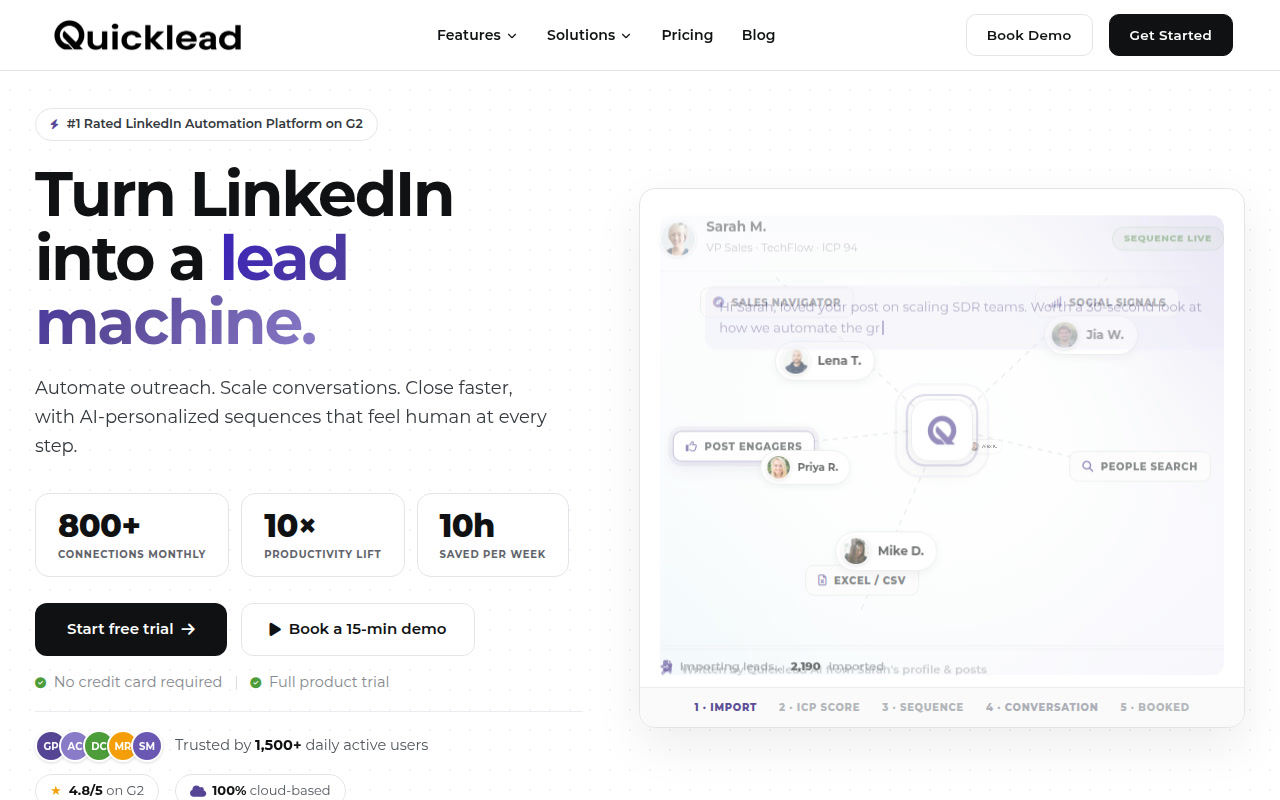
Quicklead: Linkedin Outreach Tool for AI-personalized LinkedIn outreach, follow-up sequences, and booking sales conversations (2026)
Quicklead is a cloud-based LinkedIn automation tool built for ai-personalized linkedin outreach, follow-up sequences, and booking sales conversations. It is most relevant for sdrs, bdrs, founders, agencies, and b2b sales teams who need a workflow centered on cloud-based web app instead of a generic social or sales stack. The main attraction is ai personalization that starts from linkedin context, while the biggest caution is that quicklead is still a linkedin automation tool, so the account-safety story is better than reckless browser bots but still not risk-free under linkedin's platform rules.
Quicklead: Key Specs at a Glance
| Feature | Quicklead |
|---|---|
| Primary use case | AI-personalized LinkedIn outreach, follow-up sequences, and booking sales conversations |
| Best for | SDRs, BDRs, founders, agencies, and B2B sales teams |
| Deployment type | cloud-based web app |
| LinkedIn compliance claim | Quicklead publicly emphasizes timezone-aware scheduling, safe daily limits, dedicated country-based IP addresses, profile warm-up, and advanced safety features. That lowers operational risk compared with crude browser clickers, but it still automates LinkedIn messaging and connection workflows, so no zero-risk compliance promise is realistic. |
| Daily connection limit | The pricing page explicitly mentions 100 messages per day and configurable daily limits; connection-request ceilings are not separately published on the reviewed pages. |
| Safety features | Dedicated country-based IP address, profile auto warm-up, advanced safety features, timezone-aware scheduling, safe daily limits, conditional sequence logic, and reply detection. |
| Sales Navigator required | No, but Sales Navigator import is one of the core lead sources. |
| InMail support | Yes. The pricing page lists InMails alongside visits, auto-follow, and sequence actions. |
| Sequence builder | Yes, with multi-step sequences and conditional branching. |
| CRM integrations | HubSpot, Zapier, Slack, webhooks, and CRM sync messaging are publicly documented. |
| Email enrichment | Not publicly documented as a standalone enrichment database; the value proposition is more about LinkedIn workflow automation than bulk contact enrichment. |
| Analytics features | Unified inbox metrics, response-rate reporting, A/B testing, ICP scoring, and campaign tracking are documented on the official site. |
| Team features | Yes. Workspace controls, multi-account handling, handoff features, and agency-oriented account management are part of the public positioning. |
| API availability | Webhooks are publicly documented; a broad public developer API is not clearly documented on the reviewed pages. |
| Pricing model | Per-account subscription pricing with monthly, quarterly, yearly, and custom high-volume tiers. |
| Free plan | No permanent free tier is shown, but the official site offers a 7-day free trial with no credit card. |
| Paid plans | Monthly pricing starts at INR 2,999 per account for 1-5 accounts, then gets cheaper per account on larger quarterly and yearly commitments, with custom pricing for 20+ accounts. |
What Quicklead Does Well
AI personalization that starts from LinkedIn context
Quicklead is not selling generic variable-based mail merge as personalization. The official site says the AI reads profile details, recent posts, mutual connections, and ICP fit before writing openers. That is materially different from older outreach tools that only swap in a first name or company name, and it matters for SDR teams that need higher reply rates from colder B2B audiences.
Strong sequence depth for sales teams
The platform combines profile visits, likes, connection requests, messages, follow-ups, conditional branching, and unified inbox handling in one product. That makes it more complete than lightweight LinkedIn warm-up tools that only automate a narrow slice of the workflow and then force users into separate inbox, reporting, or CRM glue.
Built for multi-account and agency scale
Quicklead publicly leans into workspaces, multi-account management, shared templates, and handoff-friendly inbox workflows. For agencies or outbound teams that juggle several reps and several campaigns at once, that is a more convincing fit than a solo-founder automation tool that only works well on one seat.
Visible safety framing instead of silence
The public pricing and feature pages repeatedly mention dedicated IPs, warm-up, daily limits, and safety controls. LinkedIn outreach buyers care about that because the risk is not theoretical. Even if those features do not remove Terms-of-Service exposure, they show that the product is thinking about account durability instead of only scale.
Workflow Fit
Quicklead fits a prospecting workflow where Sales Navigator or LinkedIn search is already the top-of-funnel source, and the real bottleneck is turning that list into consistent, personalized outreach. The product is less about content publishing or inbound branding and more about running disciplined outbound motion without living manually in a rep's inbox all day.
Compared with older extension-heavy LinkedIn outreach tools, Quicklead positions itself as a safer, more centralized system with stronger AI personalization and better workspace control. Compared with all-in-one revenue platforms, it stays much closer to LinkedIn-specific execution instead of expanding into full revenue orchestration.
Known Limitations
- Quicklead is still a LinkedIn automation tool, so the account-safety story is better than reckless browser bots but still not risk-free under LinkedIn's platform rules.
- The pricing page is quoted in INR and optimized around account bands, which can be less intuitive for buyers who compare tools purely in USD or EUR across global teams.
- The reviewed public pages talk much more about LinkedIn messaging workflows than about a broad standalone data-enrichment layer, so teams that need best-in-class contact enrichment may still need a separate provider.
- Because AI personalization is central to the pitch, quality control still matters. Teams that blindly trust every generated opener may end up with decent personalization at scale but inconsistent brand voice or message quality.
Best For: Who Should Use Quicklead
- B2B outbound teams that want one LinkedIn-first system for multi-step sequences, inbox management, and campaign reporting.
- Agencies that manage several LinkedIn accounts and need cleaner workspace separation than low-end automation plugins provide.
- Founders or lean sales teams that want AI-assisted personalization without stitching together separate sequence, inbox, and analytics tools.
- Teams that already prospect in Sales Navigator and want a faster path from search results to booked conversations.
LinkedIn Safety and Compliance Notes
Quicklead publicly emphasizes timezone-aware scheduling, safe daily limits, dedicated country-based IP addresses, profile warm-up, and advanced safety features. That lowers operational risk compared with crude browser clickers, but it still automates LinkedIn messaging and connection workflows, so no zero-risk compliance promise is realistic.
Choose Quicklead if the main job is LinkedIn outbound execution at scale and the team wants personalization, sequencing, and inbox control in one place. Skip it if the team mainly needs thought-leadership publishing, pure enrichment, or a zero-automation compliance posture.
Pricing Reality Check
Per-account subscription pricing with monthly, quarterly, yearly, and custom high-volume tiers.. No permanent free tier is shown, but the official site offers a 7-day free trial with no credit card. Monthly pricing starts at INR 2,999 per account for 1-5 accounts, then gets cheaper per account on larger quarterly and yearly commitments, with custom pricing for 20+ accounts.
The practical cost story depends on account count. For a solo or tiny team, the monthly per-account pricing is inexpensive enough to test, especially with the no-card free trial. The economics become more compelling for agencies or teams with several senders because quarterly and yearly pricing reduce the per-account rate, but buyers still need to price in rep oversight and the operational cost of running LinkedIn automation responsibly.
Community Links
- https://www.g2.com/products/quicklead-io/reviews
- https://www.g2.com/products/quicklead-io/reviews?qs=pros-and-cons
Social Links
Official homepage scan found: linkedin=https://www.linkedin.com/company/quicklead-io/, instagram=https://www.instagram.com/quicklead.io, youtube=https://www.youtube.com/@quicklead, facebook=https://www.facebook.com/tr?id=3307465922753889&ev=PageView&noscript=1
Sources
FAQ
Is Quicklead free?
No permanent free plan is shown, but the official site offers a 7-day free trial without a credit card.
Does Quicklead work with Sales Navigator?
Yes. Sales Navigator import is one of the core prospect sources documented on the official site.
Is Quicklead safe for LinkedIn?
Safer than crude automation, not risk-free. Quicklead documents warm-up, daily limits, and dedicated IP controls, but it still automates LinkedIn workflows.
Who should skip Quicklead?
Teams that mainly need content creation, LinkedIn analytics for creators, or pure lead enrichment should skip it. Quicklead is strongest when the real need is outbound sequence execution.
Reviews
No reviews yetSimilar tools in category
VanillaSoft
A platform that streamlines lead management and enhances sales productivity through automated workflows and communication tools.

Hyperise
Personalize your marketing campaigns with dynamic images tailored to each recipient.

Sprout Social
Manage and analyze your social media presence to enhance engagement and grow your audience.