QuickMail
Multi-channel outreach platform for LinkedIn and email with unlimited accounts, built-in MailFlow warm-up, and agency multi-workspace. Starter $49/mo, 14-day free trial.
QuickMail: Multi-Channel LinkedIn + Email Outreach Platform for B2B Sales Teams (2026)
QuickMail is a multi-channel outreach platform built for B2B sales teams, agencies, and recruiters who need to run LinkedIn and email campaigns from a single interface. It supports unlimited LinkedIn accounts and includes a native email warm-up system called MailFlow. QuickMail is best suited for agencies managing multiple clients or mid-market sales teams running high-volume outbound at scale. Solo founders running low-volume campaigns or teams already paying for dedicated LinkedIn tools may find it over-engineered for their needs.
Key Specs at a Glance
| Feature | Details |
|---|---|
| Founded | Not publicly documented |
| Channels | LinkedIn + Email (multi-channel) |
| LinkedIn Accounts | Unlimited (all plans) |
| Email Warm-Up | Built-in via MailFlow (free) |
| Starter Plan | $49/mo — 1,000 active contacts, 5,000 emails/mo |
| Growth Plan | $99/mo — 25,000 active contacts, 100,000 emails/mo |
| Agency Plan | $299/mo — 100,000 active contacts, 500,000 emails/mo |
| Free Trial | 14-day free trial, no credit card required |
| Users | Unlimited on all plans |
| Native Integrations | HubSpot, Pipedrive, Zapier, API |
| Agency Features | Multi-workspace, white-label client management |
| LinkedIn Compliance | Uses LinkedIn's official API pathways where possible; ToS risk exists with automation |
| Support | Email, chat (tier-dependent) |
What QuickMail Does Well
True Multi-Channel Sequencing
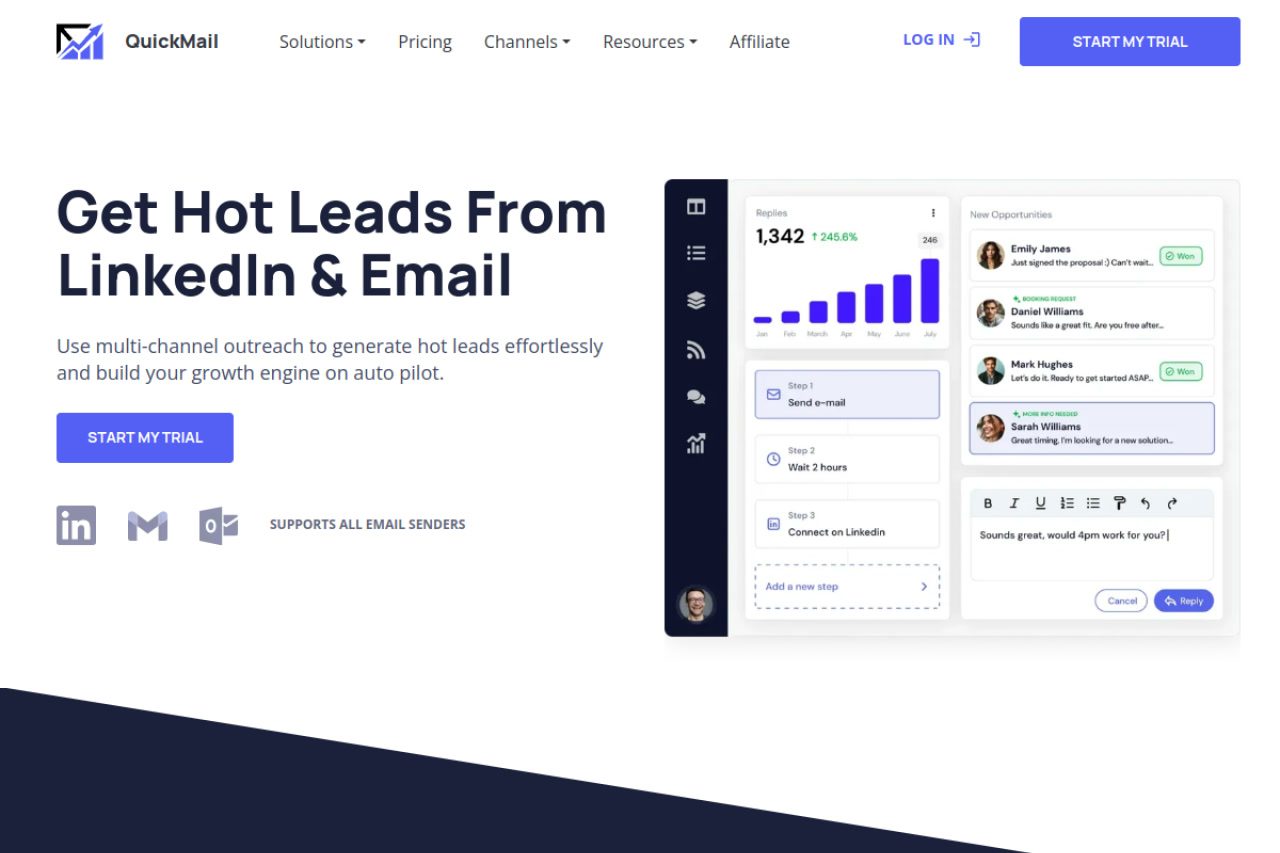
QuickMail allows teams to build sequences that combine LinkedIn connection requests, LinkedIn messages, and email touchpoints in a single workflow. This means a prospect can receive a LinkedIn connection request on day 1, a LinkedIn message on day 3, and an email follow-up on day 5 — all automated and tracked in one campaign view. This is a genuine competitive advantage over pure-email or pure-LinkedIn tools.
Unlimited LinkedIn Accounts + Team Collaboration
Unlike many competitors that charge per LinkedIn seat, QuickMail includes unlimited LinkedIn account connections across all pricing tiers. Combined with unlimited users, agencies can connect all their SDRs' and clients' LinkedIn accounts without escalating costs. Multi-workspace management makes client isolation cleaner than single-account tools.
Built-In Email Warm-Up via MailFlow
QuickMail includes access to MailFlow, a peer-to-peer email warm-up network integrated natively. This removes the need to pay for a separate warm-up tool like Lemwarm or Instantly. MailFlow operates on a reciprocal model where users' email accounts send and receive warm-up emails within the network — meaningful for teams starting new email domains alongside their LinkedIn outreach.
Transparent Contact-Based Pricing
QuickMail prices by active contacts rather than seats, which scales predictably for agencies managing clients. The $49 Starter tier supports 1,000 contacts — adequate for small-scale validation. The jump to $99 for 25,000 contacts makes the Growth tier practical for most mid-sized sales teams, as they avoid per-seat fees that inflate costs with larger SDR teams.
Native CRM Integrations
HubSpot and Pipedrive are natively supported, meaning deal stages and contact records can sync without complex Zapier workarounds. For teams running CRM-driven outbound, this reduces data entry overhead and keeps outreach activity logged in the CRM directly.
Known Limitations
- LinkedIn ToS Risk: LinkedIn's Terms of Service prohibit automated messaging and connection requests using third-party tools. QuickMail's LinkedIn automation uses your account credentials, which carries risk of temporary or permanent account restriction. The risk varies by usage volume and LinkedIn's enforcement patterns, which change periodically.
- No Built-In Lead Database: QuickMail does not include a prospecting or lead-finding layer. Users must import their own lists or integrate an external data provider. This adds friction and cost compared to all-in-one platforms.
- Contact Limits on Starter: 1,000 active contacts on the Starter plan is low for teams with existing databases. Agencies will almost immediately require the Growth or Agency tier.
- LinkedIn Features Scope: LinkedIn-specific features (InMails, connection limits, profile visits) are not as granularly documented as email features. Teams with complex LinkedIn-specific needs should verify capabilities during the trial.
- Learning Curve for Multi-Channel Setup: Configuring LinkedIn + email sequences together requires more setup time than pure-email tools. New users often underestimate the configuration time before going live.
Best For
- Sales agencies managing multiple client campaigns across LinkedIn and email simultaneously
- Mid-market B2B sales teams running high-volume outbound with 5+ SDRs who need unlimited user seats
- Teams who want a single platform for LinkedIn + email rather than paying for two separate tools
- Revenue teams already using HubSpot or Pipedrive who want outreach activity synced natively
Who Should Look Elsewhere
- Solo founders or freelancers who only need simple LinkedIn connection campaigns — tools like Dux-Soup or Expandi are simpler and cheaper
- Teams that primarily need LinkedIn-only automation without email — QuickMail's pricing includes email capabilities they won't use
- Companies with strict LinkedIn compliance policies — any third-party LinkedIn automation tool carries ToS risk
LinkedIn Safety and Compliance
QuickMail automates LinkedIn actions — connection requests, messages, and follow-ups — through your LinkedIn account. LinkedIn's official Terms of Service prohibit the use of third-party automation tools for these actions. While many thousands of sales teams use these tools daily, LinkedIn periodically enforces these rules, typically with temporary account restrictions or, in repeated cases, permanent bans. QuickMail does not have official LinkedIn API partnership for these automation features.
Best practices to reduce risk: keep daily connection requests under 20-25, avoid copy-pasted templates, use the tool during normal working hours, rotate accounts carefully, and monitor account health. The 14-day trial period is a good time to test LinkedIn action limits before committing.
Pricing & Cost at Scale
| Plan | Monthly Price | Active Contacts | Emails/Month |
|---|---|---|---|
| Starter | $49 | 1,000 | 5,000 |
| Growth | $99 | 25,000 | 100,000 |
| Agency | $299 | 100,000 | 500,000 |
All plans include unlimited users, unlimited LinkedIn accounts, and MailFlow warm-up. Annual pricing discounts are not publicly listed — check with sales. No per-seat fees is a significant cost advantage for teams with 5+ SDRs versus per-seat competitors.
Integrations & Workflow Fit
QuickMail integrates natively with HubSpot and Pipedrive for CRM sync. Zapier connection opens up 5,000+ additional app integrations. A developer API is available for teams building custom workflows or internal tooling. The multi-workspace Agency plan supports client isolation, making it viable as a managed service platform. Teams using Clay or Apollo for lead sourcing can import prospect lists via CSV or API into QuickMail campaigns.
Getting Started
- Sign up for the 14-day free trial at quickmail.com — no credit card required
- Connect your email account(s) and let MailFlow begin warm-up for new domains
- Connect your LinkedIn account(s) via the LinkedIn integration settings
- Import your prospect list (CSV or CRM sync) and build your first multi-channel sequence
- Monitor deliverability metrics and LinkedIn action rates during the first week before scaling
What Users Are Saying
QuickMail has active discussion in sales communities. Relevant threads worth reviewing:
- r/sales and r/saleshackers on Reddit have recurring QuickMail threads comparing it to Lemlist, Instantly, and Apollo
- G2 reviews (search: QuickMail) highlight the unlimited seats and MailFlow warm-up as top differentiators
- Negative feedback typically centers around the steeper-than-expected setup time for LinkedIn campaigns
FAQ
Does QuickMail require a LinkedIn Premium or Sales Navigator account?
Not publicly documented as a strict requirement. Basic LinkedIn accounts can be connected. However, Sales Navigator accounts typically allow higher outreach volumes and access to more advanced search filters that improve targeting quality for campaigns.
Is the 14-day free trial fully functional?
Yes — the free trial provides access to core features including LinkedIn and email sending. Contact limits apply. No credit card is required at sign-up.
Can agencies manage multiple client workspaces?
Yes — the Agency plan ($299/mo) supports multiple workspaces with separate LinkedIn and email accounts per client. This is one of QuickMail's clearest differentiators for agency use cases.
How does MailFlow warm-up work?
MailFlow is a peer-to-peer warm-up network. When you connect your email account, it automatically sends and receives warm-up emails with other MailFlow users' accounts, which signals to email providers that your domain is active and legitimate. This improves inbox placement rates for cold email campaigns.
What happens to my contacts if I downgrade from Growth to Starter?
Not publicly documented. It's advisable to contact QuickMail support before downgrading to confirm contact data retention policies for contacts exceeding the lower tier's active contact limit.
Sources: quickmail.com (May 2026), G2 reviews, r/sales Reddit community discussions
Reviews
No reviews yetSimilar tools in category
VanillaSoft
A platform that streamlines lead management and enhances sales productivity through automated workflows and communication tools.

Hyperise
Personalize your marketing campaigns with dynamic images tailored to each recipient.

Sprout Social
Manage and analyze your social media presence to enhance engagement and grow your audience.