Find That Lead
Discover and verify email addresses to connect with potential leads.
FindThatLead: A Comprehensive Guide to LinkedIn Lead Generation
Introduction
Overview of FindThatLead
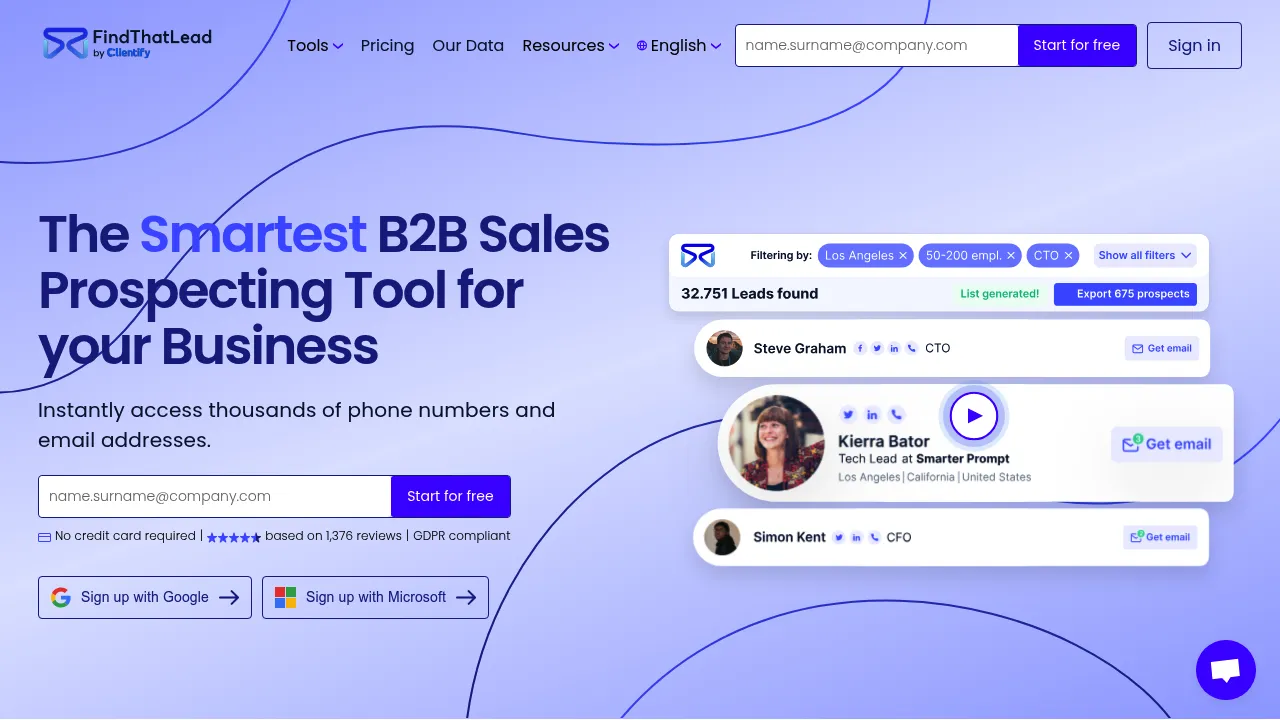
FindThatLead is a powerful tool designed to help entrepreneurs and salespeople find email addresses while prospecting on social platforms like LinkedIn and Twitter. It offers a simple and affordable solution for accurate lead generation.
Key Benefits and Use Cases
- Time-Saving: Automates the process of finding email addresses, saving you time and effort.
- Accurate Targeting: Helps you accurately target your prospects by providing verified email addresses.
- Boosted Email Deliverability: Ensures correct emails, which boosts your email deliverability rates.
- Streamlined Workflow: Integrates with other tools like Woodpecker for seamless email sending.
Who Uses
FindThatLead is ideal for:
- Entrepreneurs: To build and manage their prospect lists.
- Salespeople: To streamline their lead generation process.
- Small Businesses: To efficiently target potential customers.
What Makes FindThatLead Unique
- Free Chrome Extension: Available for easy installation and use.
- Data Verification: Confirms the accuracy of found emails to reduce bounce rates.
- Affordable Pricing: Offers competitive pricing plans to suit various needs.
Pricing Plans
FindThatLead offers the following pricing plans:
- Small Package: $15/month (1000 credits)
- Medium Package: $30/month (2000 credits)
- Large Package: $90/month (4000 credits)
- Free Trial: 10 free credits per week to test the tool
Disclaimer: Pricing might be changed, please check the official site for the latest pricing plans: FindThatLead Pricing
Core Features
Essential Functions Overview
- Chrome Extension Installation: Install the FindThatLead Chrome extension to start using the tool.
- Profile Search: Search for profiles on LinkedIn or Twitter.
- Email Search: Click on the extension to find the email address of the selected profile.
- Database Management: Add the found emails to your database for further use.
- Export Options: Export your database to email sending tools like Woodpecker.
Common Settings Explained
- Name, Surname, and Domain Fields: The Chrome extension automatically fills in the name, surname, and company domain fields.
- Search Attempts: You are charged for each search attempt, even if the email is not found.
- Credit System: Credits are used to search for email addresses, with a certain number of credits available per plan.
Tips & Troubleshooting
Tips for Best Results
- Use the Chrome Extension: The Chrome extension makes the prospecting process faster and more convenient.
- Verify Emails: Double-check the accuracy of the found emails to ensure high deliverability rates.
- Manage Credits: Keep track of your credits to avoid running out during critical searches.
Troubleshooting Basics
- Invalid Emails: If an email is marked as invalid, it means the tool couldn’t verify it. You should double-check the email manually.
- Credit Issues: If you run out of credits, upgrade your plan or use the free trial to continue searching.
Best Practices
Common Mistakes to Avoid
- Blindly Trusting the Tool: Always double-check the accuracy of the found emails to avoid high bounce rates.
- Inadequate Credit Management: Make sure to manage your credits effectively to avoid running out during critical searches.
Performance Optimization
- Regularly Update Your Database: Regularly update your database to ensure you have the most accurate and up-to-date information.
- Use the Tool Consistently: Consistent use of the tool helps in optimizing its performance and accuracy.
Pros and Cons
Pros
- Affordable Pricing: Competitive pricing plans make it accessible to various users.
- Easy to Use: The Chrome extension makes the tool easy to use and integrate into your workflow.
- Accurate Data: The tool verifies the accuracy of found emails, reducing bounce rates.
- Flexible Plans: Offers various plans to suit different needs and budgets.
Cons
- Charged per Search Attempt: You are charged for each search attempt, even if the email is not found.
- Limited Free Trial Credits: The free trial only offers 10 credits per week, which might not be sufficient for extensive searches.
- Not Suitable for All Users: The tool restricts logins to work emails only, which might limit its use for those without access to work emails.
Summary
FindThatLead is a powerful tool for LinkedIn lead generation, offering a simple and affordable solution for accurate email finding. Its unique features, such as the Chrome extension and data verification, make it an essential tool for entrepreneurs and salespeople. With competitive pricing plans and a flexible credit system, FindThatLead is a valuable addition to any lead generation strategy. However, users should be aware of the limitations, such as the charged per search attempt and the restricted login to work emails. Always check the official site for the latest pricing plans and terms.
Reviews
No reviews yetSimilar tools in category

VanillaSoft
A platform that streamlines lead management and enhances sales productivity through automated workflows and communication tools.

Hyperise
Personalize your marketing campaigns with dynamic images tailored to each recipient.

Crystal Knows
A platform that analyzes personality traits to enhance communication and collaboration.