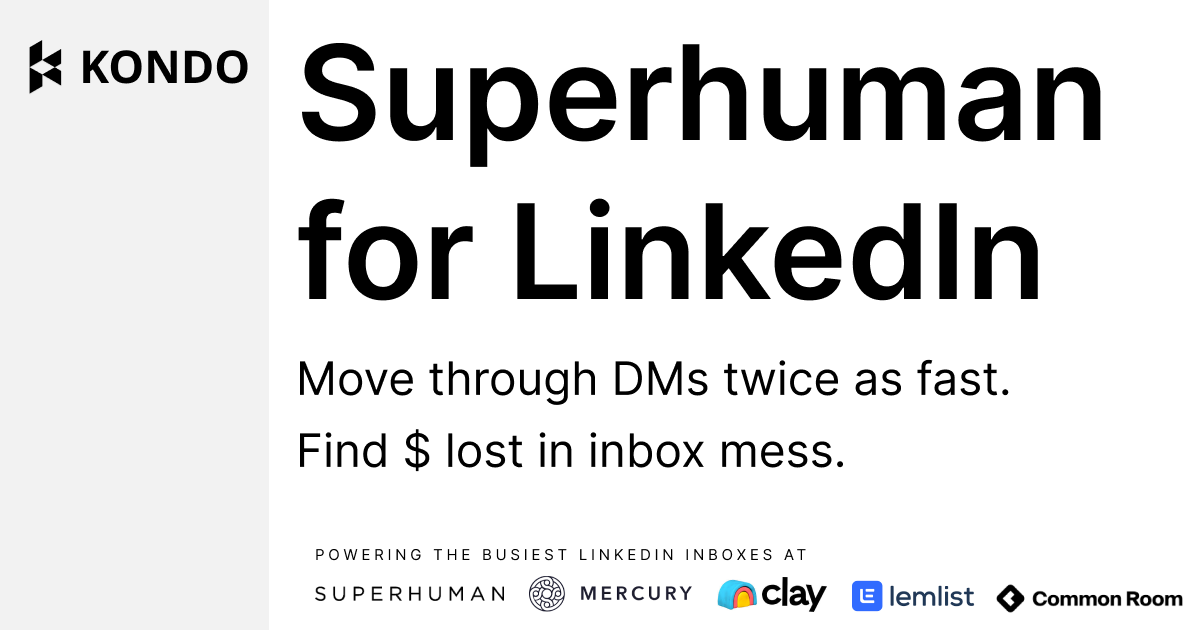
Kondo
Superhuman-like inbox management tool for LinkedIn DMs. Split inboxes, labels, snooze reminders, keyboard shortcuts, and CRM sync to manage high-volume LinkedIn conversations 2x faster.

The Complete Guide to Kondo: LinkedIn Inbox Management Tool for Power Users
Introduction
Kondo is a purpose-built LinkedIn inbox management tool that brings Superhuman-level speed and organization to your LinkedIn DMs. Described by the Head of Growth at Superhuman as "exactly what you need if you get a lot of LinkedIn DMs," Kondo transforms the notoriously cluttered LinkedIn messaging experience into a fast, organized, and actionable workspace. It's designed for founders, creators, sales professionals, and recruiters who receive high volumes of LinkedIn messages and can't afford to let important conversations slip through the cracks.
The core problem Kondo solves is LinkedIn's native inbox — one of the worst messaging UX experiences of any widely used professional tool. With no labels, no snooze, no keyboard shortcuts, and no CRM sync, native LinkedIn messaging breaks down the moment volume picks up. Kondo adds all of these missing layers, allowing users to move through DMs 2x faster and achieve zero-inbox on LinkedIn.
Kondo is ideal for anyone with a busy LinkedIn inbox: founders building pipeline through DMs, LinkedIn content creators with large followings, sales reps managing outreach responses, and recruiters coordinating with candidates at scale. The tool also supports AI agents via an MCP connector (Business plan), enabling Claude and other AI assistants to read and respond to LinkedIn messages programmatically.
Pricing starts at $28/user/month (Basic, billed annually) for inbox management features, with the Business plan at $36/user/month adding Sales Navigator inbox, CRM integrations, and analytics. Enterprise at $52/user/month adds SAML SSO and unlimited sync destinations. All plans include a 14-day money-back guarantee. See official pricing.
Getting Started
Kondo is a web application that connects to your LinkedIn account. Setup takes under 5 minutes — sign up, authorize LinkedIn access, and immediately see your inbox reorganized with Kondo's split-inbox view. No Chrome extension is required for core functionality, though integrations for CRM sync require the Business plan.
The interface uses a keyboard-first design philosophy. Power users can navigate through entire inboxes using keyboard shortcuts without touching the mouse. Labels can be applied, conversations snoozed, and snippets inserted all from the keyboard, enabling a truly frictionless LinkedIn messaging experience. A sandbox demo is available at sandbox.trykondo.com for hands-on evaluation before signing up.
Core Features
- Split Inboxes & Labels: Organize conversations into custom inboxes by label — prospects, hot leads, partners, creators, hiring — and filter your view to see only what matters right now. Never lose a hot opportunity in a sea of spam and generic messages again.
- Snooze & Follow-Up Reminders: Snooze conversations to bring them back to the top of your inbox at the right time. Zero missed follow-ups, zero admin overhead — perfect for managing long sales cycles or recruiting pipelines through LinkedIn DMs.
- Keyboard Shortcuts & Snippets: Navigate your entire inbox, label conversations, and reply — all without lifting your hands from the keyboard. Save reusable message snippets for quick responses to common questions.
- CRM Sync (Business+): Live sync LinkedIn conversation data, labels, and notes to HubSpot, Notion, Clay, Salesforce, or any tool in your stack via native integrations. Keep your CRM current without manual copy-paste.
- Sales Navigator Inbox (Business+): Manage your Sales Navigator inbox through Kondo's organized interface alongside your regular LinkedIn DMs — keeping all outreach in one organized place.
- MCP Claude Connector (Business+): An MCP connector allows AI agents like Claude to access and interact with your LinkedIn inbox programmatically — enabling AI-assisted inbox management, triage, and response drafting.
Pros and Cons
- Pro: Dramatically faster LinkedIn inbox processing — users report saving 30+ minutes per day.
- Pro: Clean, thoughtful UX with keyboard-first navigation — feels like Superhuman for LinkedIn, as multiple power users have described it.
- Pro: CRM sync keeps relationship data current without manual effort.
- Pro: MCP Claude connector is a unique feature for AI-augmented workflows.
- Con: Paid-only — no permanent free tier; requires subscription commitment.
- Con: CRM integrations and Sales Navigator support require the higher Business plan.
What Users Are Saying
Community Sentiment: Kondo has an exceptionally strong community following among LinkedIn power users. Reddit testimonials across r/LinkedInTips, r/linkedin, and r/SaaS consistently describe it as a life-changing tool for anyone who manages significant LinkedIn DM volume.
- r/LinkedInTips — I'm tired of LinkedIn messages: Is there a tool for this? (Kondo recommended)
- r/linkedin — LinkedIn networking gets messy: Kondo mentioned as top solution
- r/LinkedInTips — Inbox Management Tool discussion (Kondo featured)
Have you tried Kondo? Share your experience in the review section below to help other LinkedIn professionals make the right choice!
Summary
Kondo fills a genuine gap in the LinkedIn ecosystem — a dedicated, polished inbox management experience that makes it possible to keep up with high-volume professional messaging without burning out. For founders, creators, sales reps, and recruiters who live in their LinkedIn inbox, Kondo is a near-essential productivity upgrade that pays for itself within the first week of use.
Reviews
No reviews yetSimilar tools in category
VanillaSoft
A platform that streamlines lead management and enhances sales productivity through automated workflows and communication tools.

Hyperise
Personalize your marketing campaigns with dynamic images tailored to each recipient.

Crystal Knows
A platform that analyzes personality traits to enhance communication and collaboration.