SalesQL
SalesQL is a Chrome extension–based LinkedIn email finder that extracts verified email addresses and phone numbers from LinkedIn profiles, Sales Navigator, and LinkedIn Recruiter. It offers CSV bulk enrichment, API access, and direct integrations with HubSpot and Salesforce. Free plan includes 50 credits/month; paid plans from 9/month for 2,000 credits.
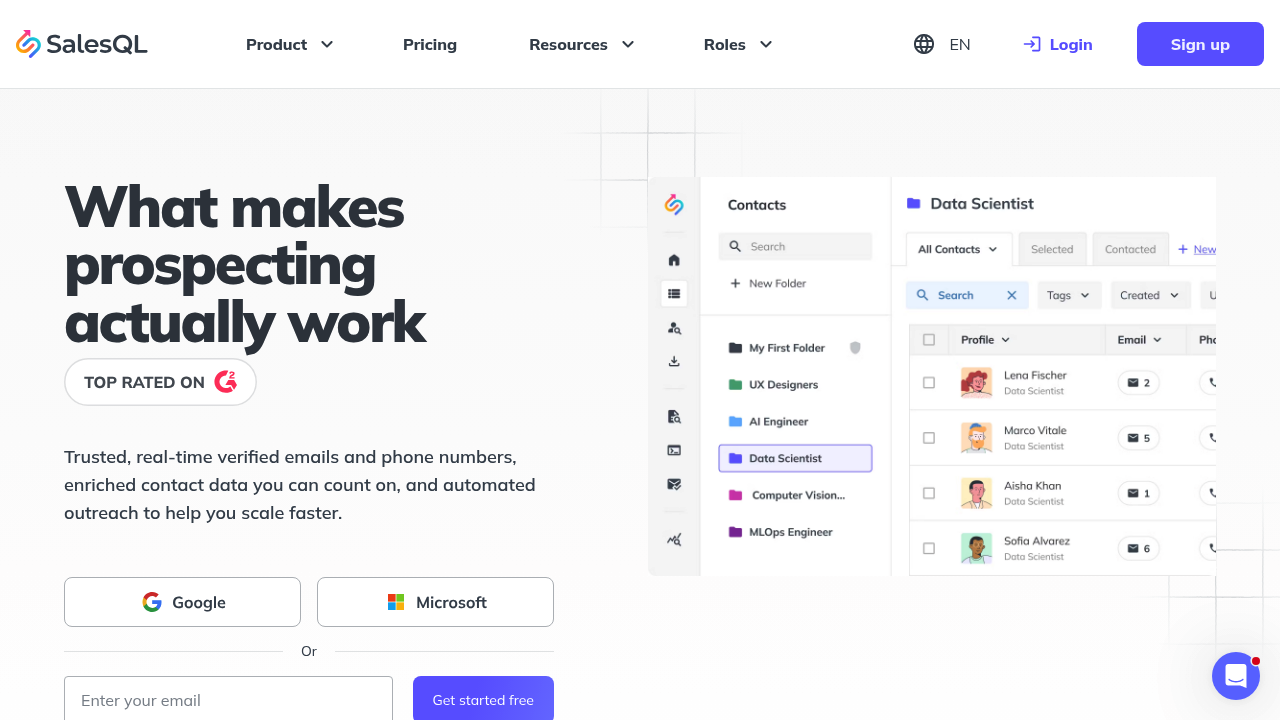
SalesQL: LinkedIn Email Finder and AI Prospecting Tool for B2B Sales Teams (2026)
SalesQL is a browser extension–based LinkedIn email finder and prospecting tool developed by SalesQL Inc. It surfaces verified email addresses and direct phone numbers from LinkedIn profiles—including standard LinkedIn, Sales Navigator, and LinkedIn Recruiter—directly in the Chrome sidebar. Unlike multi-channel outreach platforms, SalesQL focuses specifically on contact data extraction and enrichment, making it a targeted data layer rather than an automation suite.
SDRs, account executives, and recruiters who build prospect lists from LinkedIn profiles and need verified email addresses for cold outreach or CRM enrichment will get the most value from SalesQL. Its CSV enrichment feature and integrations with HubSpot, Salesforce, Zapier, and Make fit well into existing sales stacks.
Teams that want automated LinkedIn connection sequences, A/B message testing, or full outreach automation should look at dedicated LinkedIn automation platforms. SalesQL does not send messages or automate LinkedIn interactions—it only extracts and enriches contact data.
SalesQL: Key Specs at a Glance
| Feature | SalesQL |
|---|---|
| Primary use case | LinkedIn email finder and contact data enrichment |
| Best for | SDRs, account executives, recruiters building prospect lists |
| Deployment type | Chrome browser extension + web dashboard |
| LinkedIn compliance claim | Not publicly documented as LinkedIn ToS compliant |
| Daily connection limit | Not applicable — does not automate LinkedIn actions |
| Safety features | No LinkedIn automation; data extraction only |
| Sales Navigator required | No — works with standard LinkedIn, Sales Navigator, and Recruiter |
| InMail support | No — tool does not send messages |
| Sequence builder | No — prospecting and enrichment only |
| CRM integrations | HubSpot, Salesforce, Zapier, Make |
| Email enrichment | Yes — verified email addresses from LinkedIn profiles |
| Phone enrichment | Yes — direct phone numbers where available |
| Team features | Yes — multi-seat plans (Pro: 3 seats, Scale: 15 seats) |
| API availability | Yes |
| CSV enrichment | Yes — bulk enrichment from uploaded CSV |
| Pricing model | Credit-based subscription |
| Free plan | Yes — 50 credits/month, no credit card required |
| Paid plans | Basic $49/mo (2,000 credits), Pro $99/mo (5,000 credits, 3 seats), Scale $199/mo (12,000 credits, 15 seats) |
What SalesQL Does Well
Multi-LinkedIn Surface Coverage
SalesQL works across all three major LinkedIn surfaces: standard LinkedIn profiles, LinkedIn Sales Navigator, and LinkedIn Recruiter. This is practically significant—many email finder tools only support standard LinkedIn, requiring Sales Navigator users to switch workflows. SalesQL's Chrome extension injects data directly into all three interfaces without requiring profile URL copying.
CSV Enrichment for Bulk Prospecting
Beyond single-profile lookups, SalesQL allows bulk enrichment by uploading a CSV of LinkedIn profile URLs. The tool processes the list and returns verified email addresses and phone numbers in a downloadable format. This is useful for account-based prospecting workflows where SDR teams build target lists in spreadsheets before pushing to CRM.
Native CRM Push and Automation Integrations
SalesQL has direct integrations with HubSpot and Salesforce, allowing one-click contact push from the LinkedIn sidebar to CRM without copy-pasting. Zapier and Make integrations extend this to hundreds of other tools, including email sequencing platforms like Lemlist or Outreach. For teams running structured outbound, this reduces manual data entry significantly.
Tiered Credit System with Team Allocation
The credit model allows teams to pool credits across seats on Pro (3 seats) and Scale (15 seats) plans. At $99/month for 5,000 credits across a 3-person SDR team, the per-credit cost runs approximately $0.02—competitive for verified email data. Annual billing reduces costs further, though exact annual discounts are not publicly documented on the pricing page at time of writing.
Known Limitations
- LinkedIn data extraction risk: Chrome extension–based tools that scrape LinkedIn data operate in a gray area of LinkedIn's Terms of Service. LinkedIn actively detects and blocks scraping extensions. While SalesQL focuses on data lookup rather than automation, LinkedIn may still restrict accounts if unusual data extraction patterns are detected.
- No outreach automation: SalesQL is purely an email finder. It does not send LinkedIn connection requests, messages, or follow-ups. Teams that need a full outreach workflow must combine SalesQL with a separate LinkedIn automation or email sequencing tool, adding cost and integration complexity.
- Credit accuracy variation: Email accuracy rates for LinkedIn-sourced data are not publicly documented by SalesQL. Credits are consumed regardless of whether the returned email is valid or bounces in your email tool. Teams should factor in email verification costs separately.
- Extension-based risk vs cloud tools: Because SalesQL runs as a browser extension logged into your LinkedIn account, LinkedIn can associate the extraction activity directly with your account. Cloud-based tools that use separate IPs are harder for LinkedIn to detect. Extension-based scraping has a higher ban risk profile than cloud-based automation.
- Scale plan is the only enterprise option: The gap between Pro ($99, 3 seats) and Scale ($199, 15 seats) is significant for mid-size teams of 4–14 people who need team features but the Scale plan cost may not be justified.
Best For: Who Should Use SalesQL
- Solo SDRs and AEs who need verified email addresses from LinkedIn profiles to feed into cold email sequences—the free plan (50 credits) lets them evaluate before committing to Basic at $49/month.
- Small B2B sales teams (up to 3 people) on the Pro plan that need shared credit pools and HubSpot or Salesforce integration to avoid manual data entry.
- Recruiters sourcing candidates on LinkedIn Recruiter or Sales Navigator who need verified contact information outside the LinkedIn InMail system.
- Growth teams doing account-based marketing who have existing LinkedIn profile lists (CSV) and need bulk email enrichment without building scraping infrastructure.
- Agencies with large teams (Scale plan) that run LinkedIn prospecting as a service for multiple clients and need the 12,000 monthly credits across 15 seats.
Who Should Look Elsewhere
- Teams wanting end-to-end LinkedIn automation (connection requests, message sequences, follow-ups): SalesQL is email data only. Tools like Expandi, Dripify, or Lemlist handle full outreach workflows.
- Users who want fully verified, bounce-guaranteed email data: Dedicated email verification tools like Hunter.io or Snov.io have more mature email accuracy guarantees and bounce rate data than LinkedIn-centric finders.
- Teams concerned about LinkedIn account safety: Any extension-based tool interacting with LinkedIn carries account risk. If account safety is the priority, a cloud-based tool or manual LinkedIn outreach is safer.
LinkedIn Safety and Compliance
Deployment: SalesQL is a browser extension. It runs inside your Chrome browser while you are logged into LinkedIn, which means LinkedIn can attribute all data extraction activity directly to your account IP and session.
Built-in safety mechanisms: SalesQL does not automate LinkedIn actions (no connection requests, no messages), which reduces the most common automation-related ban triggers. However, high-volume data extraction via extension may still trigger LinkedIn's scraping detection systems.
LinkedIn ToS: LinkedIn's User Agreement prohibits scraping and data extraction without explicit permission. SalesQL, like all email finders operating on LinkedIn data, is not officially sanctioned by LinkedIn. The practical risk depends on extraction volume—occasional single-profile lookups carry lower risk than bulk CSV enrichment sessions.
If LinkedIn restricts your account: SalesQL does not offer account recovery support for LinkedIn restrictions. LinkedIn restrictions from scraping detection typically manifest as temporary access limits or, in severe cases, account suspension. Use conservative extraction volumes and avoid running large CSV enrichments in single sessions.
Pricing & Cost at Scale
Plan Overview
- Free: 50 credits/month, no credit card required — suitable for evaluation
- Basic: $49/month — 2,000 credits, 1 seat
- Pro: $99/month — 5,000 credits, 3 seats
- Scale: $199/month — 12,000 credits, 15 seats
Cost at Scale
Solo SDR: Basic at $49/month gives 2,000 contact lookups. At a typical LinkedIn cold outreach conversion rate, that's approximately 2,000 prospects per month—enough for active outbound at $0.024 per lead.
Small sales team (3 people): Pro at $99/month = 5,000 shared credits across 3 seats = ~1,667 leads per person per month at $0.02/lead.
Agency / enterprise (15 seats): Scale at $199/month = 12,000 credits across 15 seats = 800 credits per seat. For high-volume agencies, this may require multiple Scale plan subscriptions, multiplying cost significantly.
Prices are subject to change. Verify current plans at the SalesQL pricing page.
Integrations & Workflow Fit
- CRM: HubSpot (direct integration), Salesforce (direct integration)
- Automation: Zapier, Make — connects to email sequencing tools, other CRMs, Google Sheets
- API: Available — for custom data pipelines or CRM enrichment workflows
- LinkedIn surfaces: Standard LinkedIn, Sales Navigator, LinkedIn Recruiter
- Workflow fit: Best as a data enrichment layer feeding into an existing outreach stack. Not a standalone outreach tool—requires a separate email or LinkedIn sequencing platform to close the loop.
Getting Started
- Create a free account at salesql.com (no credit card required for the 50-credit free plan).
- Install the Chrome extension from the Chrome Web Store and log in with your SalesQL account.
- Navigate to any LinkedIn profile—the SalesQL panel appears in the Chrome sidebar. Click to reveal verified email and phone data, consuming one credit per lookup.
- Connect your CRM (HubSpot or Salesforce) in the SalesQL dashboard settings to enable one-click contact push from LinkedIn profiles.
- For bulk enrichment, export a CSV of LinkedIn profile URLs from Sales Navigator or a LinkedIn search, then upload it to SalesQL's bulk enrichment tool.
Pro tip: Start with the free plan to validate email find rates for your target industry before committing to a paid plan. LinkedIn data quality varies significantly by sector and seniority level—test before scaling credit spend.
What Users Are Saying
Community discussions about SalesQL on Reddit and LinkedIn user forums generally position it as a reliable email finder for LinkedIn, with users noting solid accuracy for certain industries. Complaints center on credit consumption rates and occasional data gaps for non-US profiles.
What users praise: Easy Chrome extension workflow, multi-LinkedIn surface support, HubSpot integration reliability.
Common frustrations: Credits consumed for unverified emails, limited team size on lower plans, no outreach automation built-in.
Have you tried SalesQL? Share your experience in the review section below.
FAQ
Will SalesQL get my LinkedIn account banned?
No direct automation, but risk exists. SalesQL doesn't send messages or connection requests—it only extracts email data while you browse LinkedIn. However, LinkedIn detects heavy scraping activity from extensions, and running large CSV enrichment batches in single sessions may trigger profile access restrictions. Low-volume, steady extraction is safer than bulk sessions.
Is SalesQL free?
Yes, partially. SalesQL offers 50 credits/month on the free plan with no credit card required. This allows roughly 50 verified email lookups per month—enough for evaluation but insufficient for active sales prospecting, which typically requires the Basic plan at $49/month (2,000 credits).
Does SalesQL require Sales Navigator?
No. SalesQL works with standard LinkedIn, Sales Navigator, and LinkedIn Recruiter. Sales Navigator is not required, but if you already have it, SalesQL integrates into the Sales Navigator interface as well.
Is SalesQL a browser extension or cloud-based?
Browser extension. SalesQL runs as a Chrome extension, which means it operates within your logged-in LinkedIn session. This is convenient but carries higher LinkedIn detection risk compared to cloud-based tools that use separate IPs.
What CRMs does SalesQL integrate with?
HubSpot and Salesforce have direct native integrations. Zapier and Make provide connections to hundreds of other tools including Pipedrive, Airtable, Google Sheets, and most email sequencing platforms.
Does SalesQL find phone numbers in addition to emails?
Yes — where available in LinkedIn data. Phone number availability is lower than email in most cases, and SalesQL notes that phone data depends on what profiles have disclosed. It's not guaranteed for every contact.
Sources
Reviews
No reviews yetSimilar tools in category
Kaspr
B2B lead generation tool and Chrome extension for finding verified phone numbers and email addresses directly from LinkedIn profiles.

ProfileSpider
AI-powered Chrome extension for one-click profile extraction from LinkedIn, Sales Navigator, GitHub, and any website. Extracts up to 200 profiles per page with 1 credit — GDPR-friendly local storage.

Lix
Lix is a LinkedIn data enrichment and lead generation Chrome extension that exports up to 10,000 leads per day from LinkedIn and Sales Navigator with 98% accurate email validation. Built for B2B prospectors who need enriched contact data at scale.